- The DMLY logo, or your agency’s if you use DMLY through one.
- Overview.
- Three groups: Messaging, Business and Configurations.
- Your own name and avatar at the very bottom. This is where settings live.
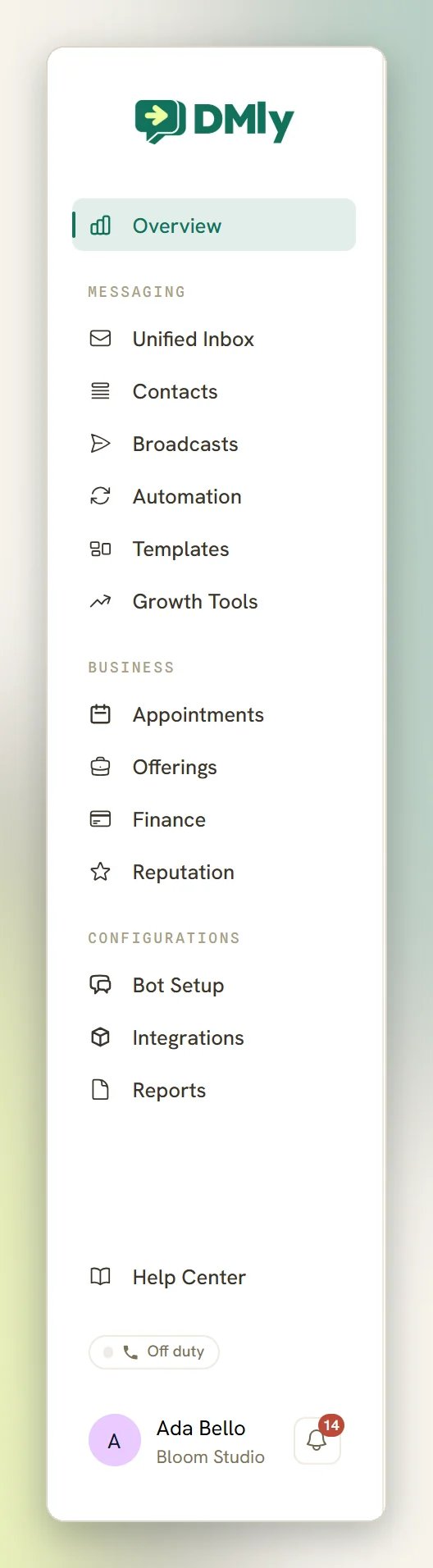
You may not see every area listed here. Items are hidden when your role does not include permission for them. If an area is missing and you need it, ask a workspace admin.
The main areas
Overview
The dashboard you land on after signing in: your analytics, recent activity and upcoming appointments at a glance.
Unified Inbox
Every conversation from every connected channel in one thread list, WhatsApp first. The sidebar shows a live unread count next to it.
Contacts
Your people. One record per person, shared across every channel, with tags, custom fields and lifecycle stage.
Broadcasts
One-to-many campaigns to a segment of your contacts.
Automation
The visual flow builder: chatbots, auto-replies and multi-step flows that run without you.
Templates
Your WhatsApp message templates and their approval status. This area works on WhatsApp channels only.
Growth Tools
Links and codes that send people into a chat with you. Not available on channels you cannot reach by a chat link.
Appointments
Your calendar, bookings and the public booking page clients use.
Offerings
Your catalogue (Services, Products and Plans) that appointments and invoices draw from.
Finance
Invoices, payments, orders, subscriptions and expenses.
Reputation
Your Google Business Profile: reviews, replies and review requests.
Bot Setup
Configure the channel you have selected: WhatsApp Cloud API, Facebook and Instagram settings, your Telegram bot, or the Live Chat widget.
Integrations
Connect and manage your channels, plus everything else you plug DMLY into.
Reports
Six tabs of reporting, left to right: Team, Appointments, Finance, Ads, CSAT and Logs.
Reading the sidebar in order
Overview sits on its own at the top. It is the page a new signup lands on, and it is where you go back to for the big picture. The Messaging group is the day-to-day work:- Unified Inbox is where conversations arrive and where you reply. See the inbox overview.
- Contacts holds the person records behind those conversations. You can import them from a CSV and organise them with tags.
- Broadcasts sends a campaign to many contacts at once. Start with creating a campaign, and read the WhatsApp rules before your first send.
- Automation is the flow builder and its templates.
- Templates lists your WhatsApp message templates and their approval status.
- Growth Tools is last in this group.
- Bot Setup configures the channel you are currently working in. It is also where you create your Live Chat widget.
- Integrations is where you connect and manage your social accounts.
- Reports is the reporting section. Selecting it opens the Team tab; the tabs run Team, Appointments, Finance, Ads, CSAT and Logs, in that order.
Where Settings lives
There is no Settings item in the sidebar. Click your name and avatar at the bottom of the sidebar to open your user menu, then select Settings.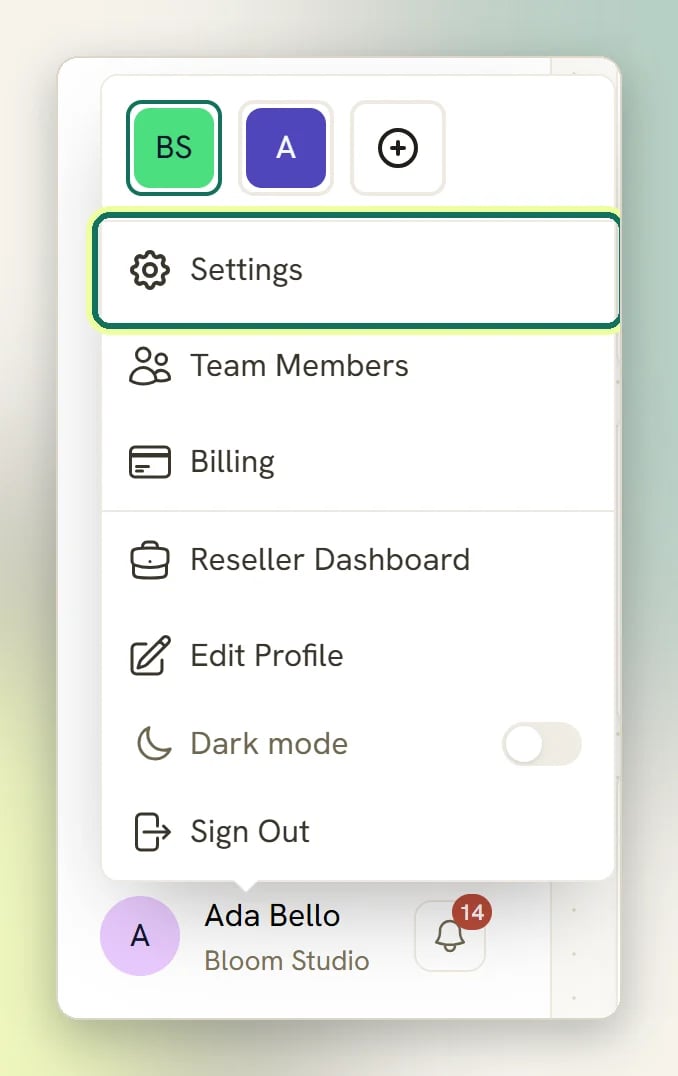
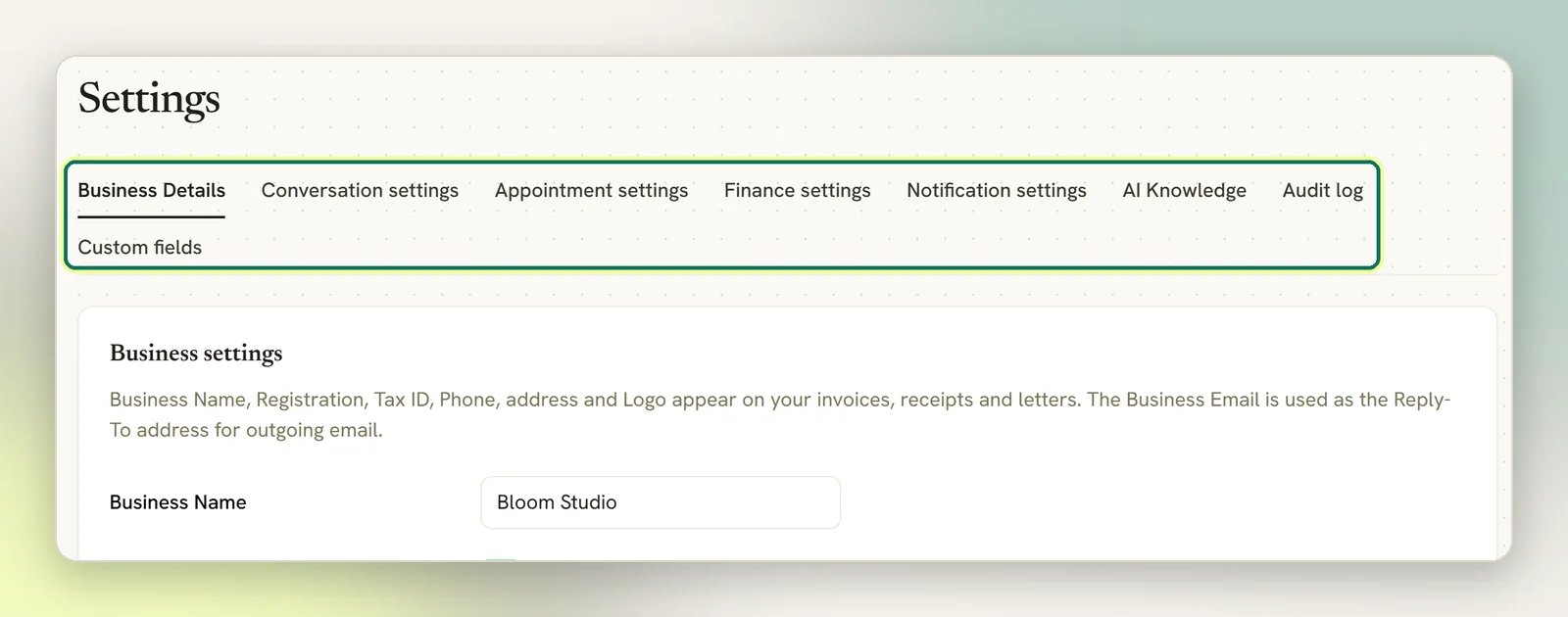
Tags are not one of them: you manage those with Manage tags on the Contacts page.
Business Details is the first tab and the one to fill in first. The Business Name there is your workspace name; there is one business name, not two. The logo you set here is used on your public booking page and invoices by default. See business details.
Where other key things live
Your user menu at the bottom of the sidebar also holds:Team Members
Invite teammates by email and set what each one can do. Custom roles are managed from here too. See roles and permissions.
Billing
Your plan and payment details.
Edit profile
Your own name, email and password.
Dark mode
A toggle in the same menu. Switch the dashboard between light and dark.
Adding a channel
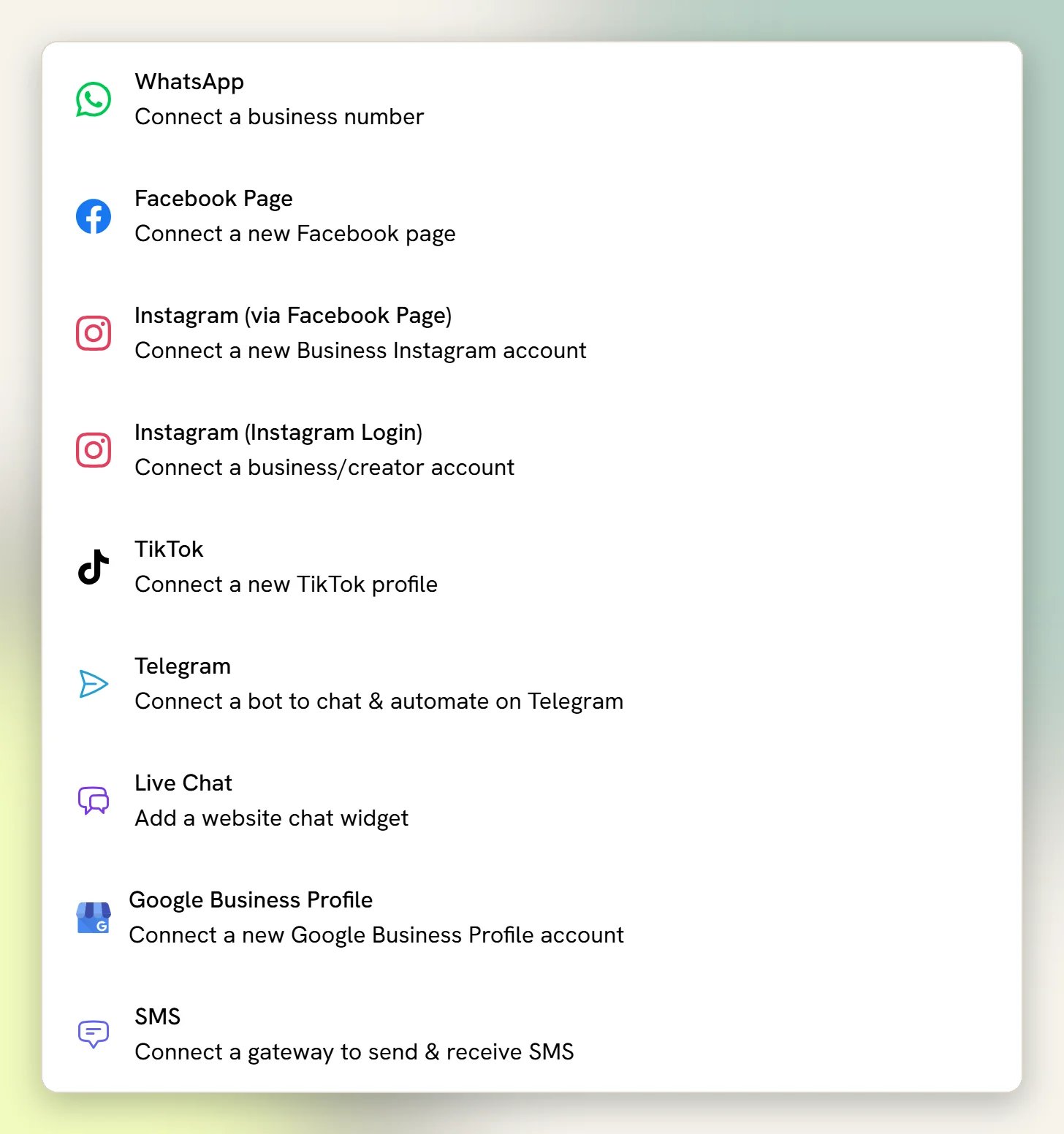
Your social accounts (WhatsApp, Facebook, Instagram and Telegram) are connected from Integrations in the Configurations group. Stay on the Channels tab (it opens first) and select Add account. Start with WhatsApp; Facebook Messenger, Instagram and Telegram each have their own page.