

Read this first
Instagram has no Get Started button, so DMLY can’t push a stored greeting to it the way it does
to a Facebook Page. Instead, your Welcome message is sent as the reply to a contact’s
first-ever DM, when that first message matches no flow or keyword. Only Ice breakers and the
Persistent menu are pushed to Meta; the welcome and default reply are sent by DMLY as
messages arrive.
- Default reply: the Reply automatically when no keyword or flow matches section fires on Instagram and Facebook. When a contact’s DM matches no flow and no keyword, DMLY sends the reply you configured, honouring Once per 24 hours per contact or Every time. (On a contact’s very first DM the welcome message goes out instead, if you’ve set one.) Any DM counts (text, or a photo, video, story reply or shared post), but it never fires for a contact who has opted out or paused the bot.
- Buttons under the welcome message: the welcome editor lets you add up to three buttons, and they are delivered with the welcome message as tappable buttons. The buttons on the default reply work the same way.
Choose how to connect
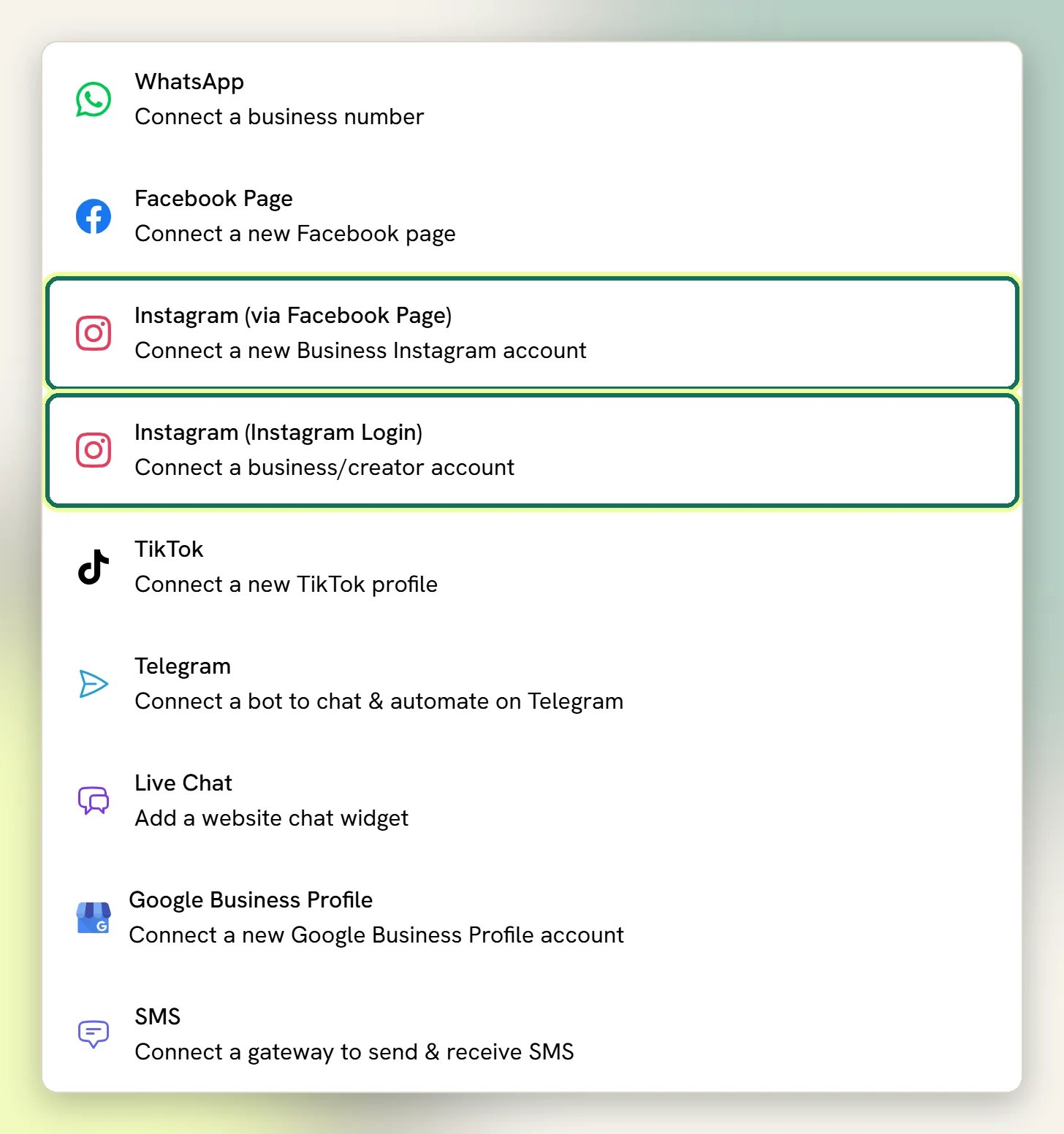
Both give you the same Instagram channel: DMs in the Inbox, flows, and comment automation
including comment-to-DM. Pick Instagram Login unless your account is already linked to a
Facebook Page you manage.
Comments on Instagram ads can’t reach an account connected through Instagram Login.
Connect with Instagram Login
1
Make sure it's a professional account
In the Instagram app, switch the account to a Business or Creator account if it’s
personal. A personal account can’t be connected.
2
Choose Instagram (Instagram Login)
Go to Integrations → Channels, start adding an account and select
Instagram (Instagram Login) (Connect a business/creator account).
3
Sign in to Instagram and approve the permissions
Sign in to the account you want to connect and approve everything Instagram asks for. Without
the messaging permission, DMs never flow.
Connect through a Facebook Page
1
Check the account first
The account must be a Business account (personal and Creator accounts can’t connect this
way), linked to a Facebook Page in Instagram or Meta Business Suite, and you must be an admin
of that Page. DMLY builds the picker from the Instagram accounts linked to the Pages your
Facebook login administers; anything else never appears in it.
2
Choose Instagram (via Facebook Page)
Go to Integrations → Channels, start adding an account and select
Instagram (via Facebook Page). Not the Facebook tile.
3
Sign in to Facebook and approve the permissions
Approve everything Meta asks for. If you decline the messaging permissions, the account
connects but DMs never flow.
4
Pick the Instagram account
Tick your Instagram account in the list and finish the connection. DMLY resolves the Facebook
Page behind it, creates the Channel, and subscribes that Page to incoming messages and
comments.
An Instagram account connected through Instagram Login before messaging was available can
publish but not message. It shows Reconnect to enable Inbox: select it and sign in again to
turn it into a messaging channel.
The 24-hour window
Meta only lets you message someone who messaged you first, and only for a limited time. The rules are the same as Messenger:- Automated messages: flows, sequences and broadcasts can only reach a contact within 24 hours of that contact’s last message to you. Outside it, the send is blocked and recorded as failed, not silently dropped. The one exception is the Marketing Opt-in node: ask while the contact is still in the window, and if they accept you get exactly one more message after it closes.
- Manual replies from the Inbox: a teammate can reply for 7 days after the contact’s last message. DMLY sends these under Meta’s human-agent allowance automatically.
- No templates. Instagram has nothing like WhatsApp’s approved message templates. There is no way to open a new conversation with someone who has not written to you first. If you need to reach people cold, use WhatsApp.
What Bot setup gives Instagram
Open Bot setup and pick the Instagram channel from the channel selector. Two of the four sections are pushed to Instagram:Ice breakers
Up to 4 suggested questions a first-time visitor can tap. Each can send a text reply or start
a flow. Instagram shows them on mobile only.
Persistent menu
An always-available menu in the conversation. Up to 3 items per level, up to 3 levels. Items
can open a URL or start a flow.
Saved, but syncing to Meta failed: … Check Salesbot → Logs.
That Logs page is under Configurations → Reports, then the Logs tab. See Logs.
The other two sections (Welcome and Default reply) also work on Instagram, but DMLY
sends them at send time rather than pushing them to Meta: the welcome goes out on a contact’s
first-ever DM, and the default reply when a message matches no flow or keyword. That’s why they
never appear in Instagram’s own settings.
The live preview hides the persistent menu when the Instagram channel is selected. That is a
preview limitation only; the menu does sync to Instagram and does appear in real conversations.
What starts a flow on Instagram
Beyond a plain DM, these trigger your automations:- A story reply or a story mention
- A comment on a post, including Instagram Live comments
- A tapped ice breaker or persistent-menu item bound to a flow
Instagram quirks in the Inbox
- Quick replies are text-only on Instagram. Buttons, carousels and media all work.
- No delivery receipt. Instagram never reports delivery, so a sent message stays at sent until the contact reads it. Messenger reports both. Nothing is wrong.
- Names fill in late. A new contact is created as
Instagram user <last 4 digits>and upgraded to the real name and username once Meta returns the profile. People who only ever commented may keep the username, because Meta does not return a profile for someone who has never DMed you. - Opt-out keywords work here too. A contact who sends
stoporunsubscribeis opted out, tagged Unsubscribe, and removed from running flows and sequences. Automated messages stop; manual replies still go through.
Troubleshooting
Nothing arrives in the Inbox
Nothing arrives in the Inbox
Start with Fix a silent Facebook Page or Instagram account. It sets
out the four causes, which look identical from the outside, and three of them you can fix
yourself.For an account connected through a Facebook Page, the one to suspect when nothing has ever
arrived is the Page link: those messages are delivered through the Page your account is linked
to, so check the Page behind the account is still one you administer. Then connect the account
again.For an account connected with Instagram Login, check it doesn’t show
Reconnect to enable Inbox, then connect it again and approve every permission.
The account connected but sends fail
The account connected but sends fail
Usually the access has lapsed. For an account connected through a Facebook Page, DMs are sent
with the linked Page’s token, not the Instagram account’s, so expiry or losing your Page admin
access breaks sending. For Instagram Login, they’re sent with the Instagram account’s own
access. Either way DMLY marks the channel unauthorized, shows a red dot on it and emails the
workspace admins. Reconnect the account from Integrations → Channels.
The Instagram account isn't in the picker
The Instagram account isn't in the picker
This applies to Instagram (via Facebook Page): the account is not a Business account, it is
not linked to a Facebook Page, or you are not an admin of that Page. Fix the link in Meta
Business Suite and start again, or connect with Instagram (Instagram Login) instead, which
needs no Page.
Facebook Messenger
The sibling channel: same 24-hour window, templates and rules.
Bot setup
Ice breakers, menus and what each channel supports.