

Two things to know before you start, because they decide what actually lands:
Every row needs a phone number. Rows with a blank Name, a blank phone, or a phone DMLY
can’t read (letters in it, or no digits) are skipped,
and DMLY always tells you how many: you land back on Contacts with “N contacts imported.
M row(s) skipped — missing a name or a phone number.” If every row is skipped, nothing is
imported and you stay on the upload screen with an error rather than a green zero: “No
contacts were imported — all N row(s) were missing a name or a phone number. Check the first
row is a header containing
name, country_code and phone columns (download the sample for
the exact format).” A CSV of email-only contacts is exactly that case, so it fails loudly.You must have a channel selected. The importer attaches each contact to one channel. With
no channel active, it stops with “Select a channel before importing.”Import a list
1
Open the importer
Go to Contacts and select Import. The page is headed Import contacts and tells you
where they are going: “Contacts will be imported into” your current channel.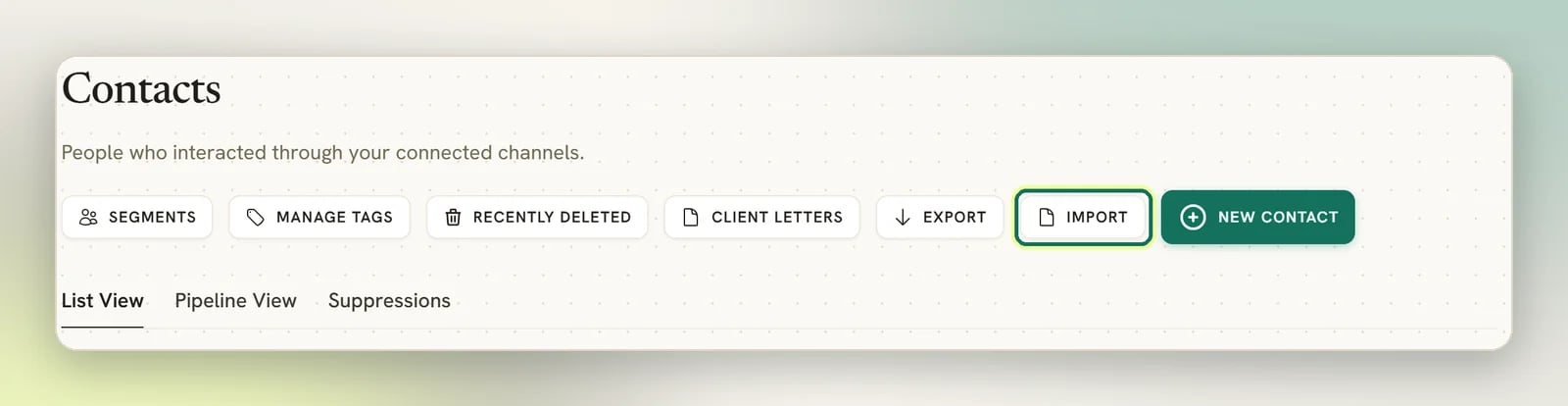
2
Start from the sample
Select Download sample to get
salesbot-contacts-sample.csv. It has the exact header row
the importer expects. Replace the two demo rows with your own data and keep the header as it is.3
Upload the file
Drop your file on the upload area or select it. Only 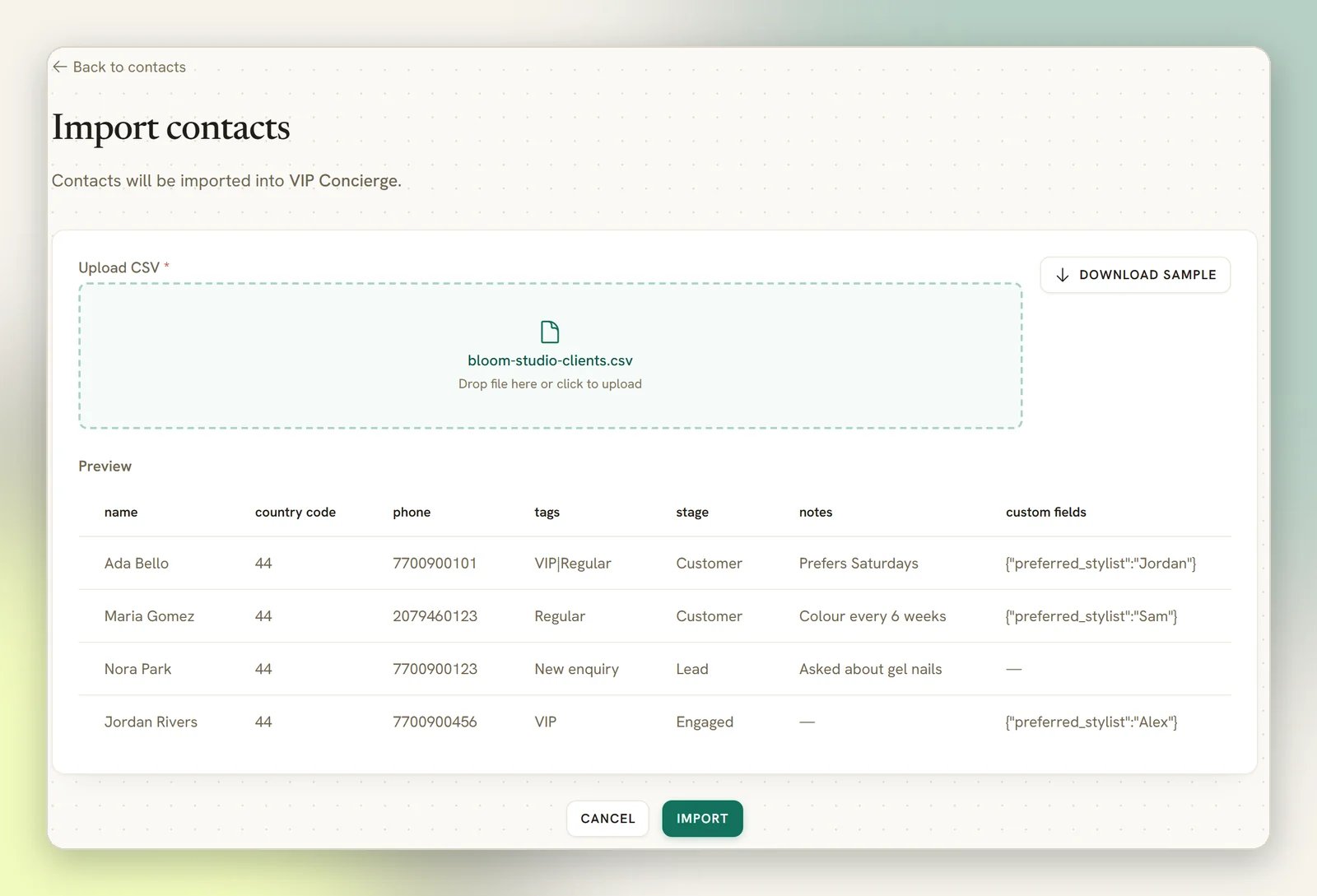
.csv files are accepted.Preview shows the first 10 rows of your file. It only renders the seven sample columns, so
an email column is read on import but won’t show up here.4
Import
Submit the file. You land back on Contacts with a count of how many contacts were imported.
The columns
The header row is what matters: column order follows your header, and capitalisation and surrounding spaces are ignored. Anything not in this list is ignored.
The sample file looks like this:
Don’t trust the sample’s second row as a model. It puts
Subscriber in the stage column, but
the stages a new Workspace starts with are Lead, Engaged and Customer, so that stage
matches nothing and John Smith arrives with no stage at all. Use your own stage names, exactly as
they appear on the Pipeline.What happens to people you already have
Before creating anything, the importer looks for an existing contact anywhere in your Workspace with the same phone number or the same email address. If it finds exactly one:- No duplicate is created.
- The import channel is added to that person as another channel identity.
- Name, email, phone and stage are only filled in where they are empty. If the contact has a name and your CSV has a different one, the existing name stays.
- Tags are replaced with whatever the
tagscolumn says, not added to. The import does not start any automations for tags or fields it changes (see the note below). - Custom fields are merged into what’s already there, and the CSV value wins on any key it sets. This is the one field the importer overwrites.
- A
notesvalue is added as a new note, on every run.
An import never triggers automations. New contacts don’t start “contact created” flows, and
tags or custom fields the import adds, removes or changes don’t start tag or field automations
either. The success message says so: “Automations that watch for new contacts were not run.”
Outbound webhooks (
contact.created, contact.tagged, contact.untagged) still fire.When rows don’t arrive
The importer tells you both numbers: “N contacts imported. M row(s) skipped — missing a name or a phone number.” Read that first: if the skipped count matches your own tally of empty cells, nothing else is wrong. If the numbers still don’t add up, work down this list.Fewer contacts imported than rows in the file
Fewer contacts imported than rows in the file
Almost always a blank name or a blank phone: either one skips the row, and the message that
comes back counts them for you. Sort your spreadsheet by each of those columns, fix the empties,
and re-run.
Nothing imported, and you're still on the upload screen
Nothing imported, and you're still on the upload screen
You got “No contacts were imported — all N row(s) were missing a name or a phone number.”
Every row looked blank to the importer, which is usually a header problem rather than empty
data. The first row of the file is read as the header and only the eight column names in the
table above are recognised, so a renamed column (
Full Name instead of name, Mobile
instead of phone) leaves every row with no name or no phone and skips the lot.
Capitalisation and stray spaces are fine, and Excel’s “CSV UTF-8” byte-order mark is stripped
for you, so it is the name itself to check. Select Download sample, copy its header row
exactly, and re-run.The import was blocked before it started, and nothing was imported
The import was blocked before it started, and nothing was imported
Your plan has a cap on how many contacts a Workspace can hold. The whole file is checked before a
single row is written, so an import that would take you over the cap imports nothing at all;
there is no partial result to clean up.The check is deliberately cautious: rows that would only have matched an existing contact still
count toward the estimate, so a large re-import of people you already have can be blocked even
though it wouldn’t add anyone. See Plans.
Contacts imported with no stage
Contacts imported with no stage
The
stage value must match a stage name on your Pipeline exactly. Anything else is ignored
quietly. Open Pipeline stages and copy the names from there.Phone numbers look wrong
Phone numbers look wrong
DMLY joins
country_code and phone with nothing in between. If your phone column already
includes the country code, leave country_code empty.On a WhatsApp or SMS channel, the joined number is then tidied up: a leading + or 00 is
removed, a number that already starts with your connected number’s country code is kept, and a
local number (with any leading trunk 0 dropped) gets that country code added. If the number
can’t be tidied (for example, it’s too long), DMLY stores its bare digits, so a country code
entered twice still ends up in the number twice. On other channels the number is only lightly
cleaned.A phone value containing any letter (such as ext 4) or no digits at all is refused. That row
is skipped and counted as “missing a name or a phone number”, even though its phone cell isn’t
blank.Everything imported, but you can't message them
Everything imported, but you can't message them
Imported contacts are attached to the channel that was selected at import time. Whether you can
actually reach someone on WhatsApp depends on your connected number and WhatsApp’s messaging
rules, not on the import. See WhatsApp limits.
Next
Tags and segments
Group the contacts you just imported into a reusable audience.
Send a broadcast
Message a segment on WhatsApp.
Custom fields
Set up the fields your
custom_fields column fills in.Contacts overview
How one person can span several channels.