

What has to be true
An automation starts for a contact only when every one of these holds. Any single one false and the flow never runs:- It is built on the same channel the contact messaged on.
- Its status is Active, not Paused, not Draft.
- It has a published version.
- Its trigger matches the event, and the contact’s message gets past the keyword filter.
Work through it in this order
1
Select the channel the contact actually messaged on
An automation belongs to one channel and only answers messages arriving
on that channel. A flow built on your WhatsApp number will never answer a Messenger DM, however
correct the trigger looks. There is no way to share one automation across channels; build a
second automation on the second channel.Do this before anything else, because Logs only ever shows you the
channel you currently have selected. If the bug is a channel mismatch and you go looking for
evidence on the wrong channel, you will find nothing and draw the wrong conclusion.
2
Check the status, then check it is published
On the Automation list, the row must read Active. If the On/off switch springs back when
you turn it on, you are at your plan’s cap on active automations for that channel; pause one
you no longer need, or see Plans.Then confirm it is published. Editing the canvas writes to the draft: Save draft and
autosave both change the draft only, and the running bot is still the previous published version,
or nothing at all, if you have never published. Select Publish. See
Publishing bots.An unpublished flow is one of the two causes that leaves no trace anywhere. Rule it out here
rather than hunting for it later.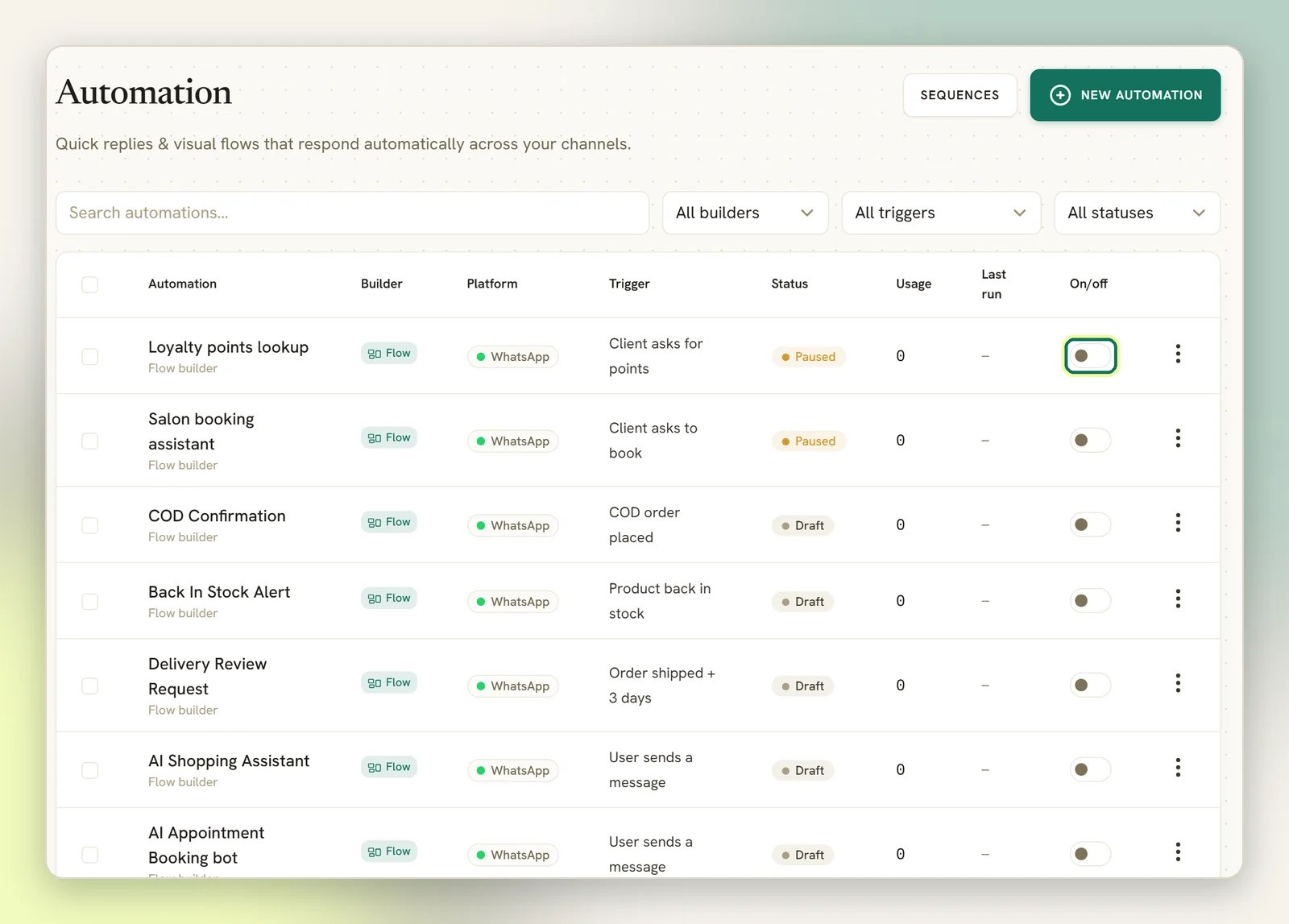
3
Compare the trigger with what the customer actually sent
First the event: a WhatsApp message trigger answers a message, not a call and not a cart
order. See Triggers for what raises each one.Then the keywords, which are the quiet one. With any match mode other than Any message (no
keyword filter), a message that does not match is dropped and nothing is logged; the flow
is simply skipped. Matching ignores capitals and surrounding spaces, and the mode decides the
rest:
- Message is an exact match: the whole message has to equal the keyword.
hi theredoes not match a keyword ofhi. - Message starts with a keyword: anything after the keyword is ignored.
- Message contains a keyword: the keyword can appear anywhere.
4
Check the bot is not paused on that conversation
Open the conversation in the Inbox. If the bot is paused for that contact,
every automation is frozen for them (flows, sequences, AI, auto-replies), and again, nothing is
logged. Select Resume bot.The most common cause is a teammate replying from the Inbox: by default, that pauses the bot
for that contact (a workspace can turn this off in its conversation settings). On a WhatsApp
number shared with the Business app, a reply from the phone app pauses it too when Pause the
bot when I reply from the phone app is on. Other things pause it as well: an AI agent handing
over to a human, a flow with a handover step, and blocking a contact. Depending on your resume
settings, the bot comes back when you select Resume bot, when the conversation is closed,
or after a set number of idle hours. Unblocking does not resume the bot.
A flow containing a Resume bot replies step is allowed to run while the bot is paused, but
only when something other than an inbound message starts it (a scheduled or appointment
trigger, or another flow). An incoming message from that contact is dropped before any flow is
considered, so you cannot build a “customer types resume” escape hatch. Select Resume bot
in the Inbox instead.
5
Read Logs for a suppressed start
With the right channel selected, open Configurations → Reports and select the Logs
tab, then select Filters and set Event to Automations and Status to
Warning. Read the result against the table below.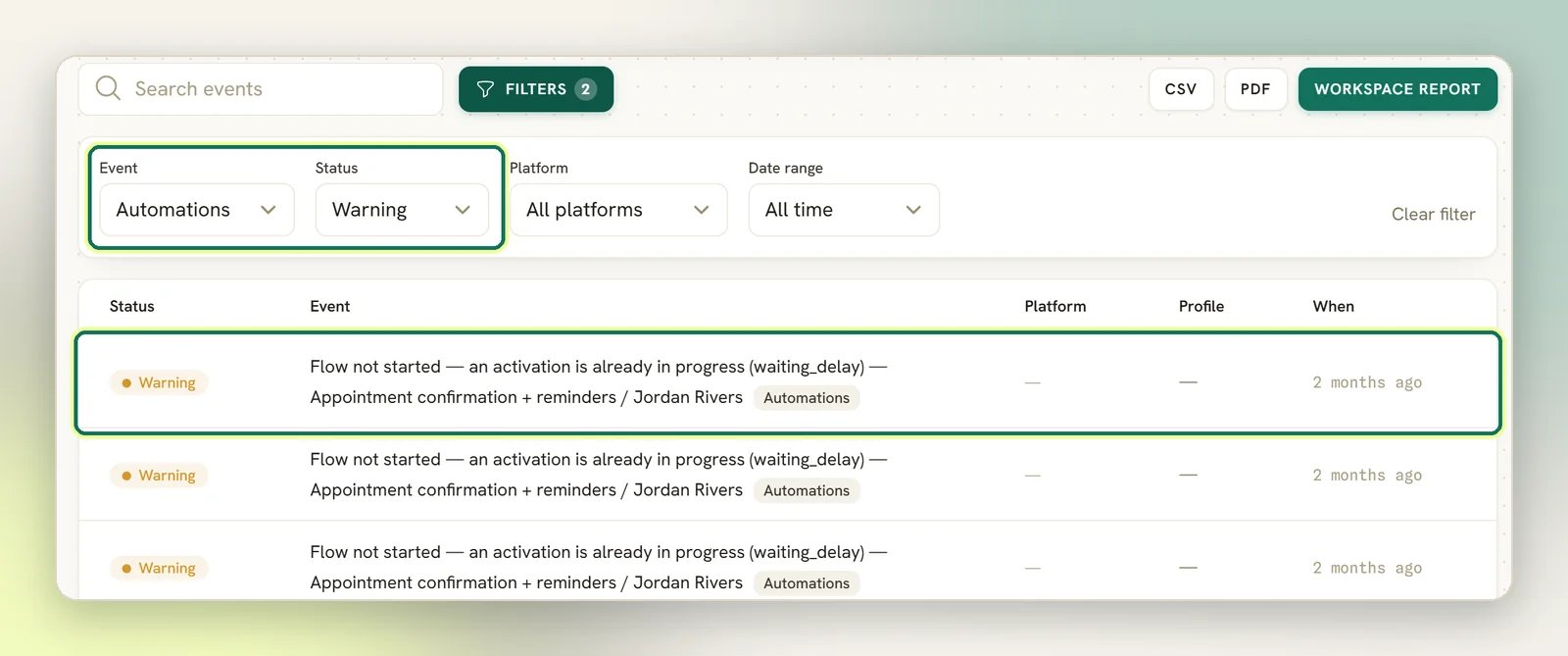
What Logs will and will not tell you
Only two things that stop a flow from starting announce themselves in Logs. Everything else is silent.
Three more causes are silent, even when the flow matches, is active and is published:
- Only one replying flow answers each message. If several flows match, the most specific one wins, and a tie goes to the flow created first. The others are skipped. Flows that only tag or call a webhook still run alongside it.
- Another flow is waiting for this contact’s answer. The message goes to that waiting step, and no trigger is checked at all.
- The workspace’s subscription has lapsed. No flow starts.
A run that is already in progress
Only one activation of the same automation can be live for the same contact at a time. While a step is waiting for that contact’s reply, a fresh trigger is dropped and logged asalready_active. That
is deliberate: it is what stops one person triggering ten copies of the same conversation.
Dead runs do not block that contact forever. Before the guard is applied, DMLY clears out runs that
can no longer go anywhere, and each clean-up writes its own warning so you can see it happened:
- A run that got stuck part-way through a step for more than 5 minutes is marked failed with the
reason
stuck_running, logged asFlow run reaped — was stuck Running. - A run waiting on a reply or an input that has been idle for 24 hours is cancelled, logged as
Flow run expired — session idle. - A step that is meant to be waiting (a delay you built into the flow) is left alone, however long it has to wait. It resumes on its own schedule.
Flow run expired — session idle is worth reading as feedback on the flow, not just as
housekeeping. It means you asked a question the contact never answered. A pile of them on one
automation points at the question, not at the engine.Chains stop after three hops
An automation that starts another automation is capped at three hops. Flow A can start B, B can start C, and C can start D, but a further hop out of D goes nowhere. The cap exists so a flow that eventually points back at itself cannot loop forever. This one is not silent. The hop that exceeds the cap fails the run withstart_flow_depth_exceeded
and writes an Error log (Flow run failed), so you will see it in Logs.
Restructure so the work happens within three hops.
It started, but the customer got nothing
That is a different problem with a different page. If the flow clearly ran and the message simply never arrived, go to Messages not sending. One thing worth knowing before you go: a flow’s send step always leaves a message bubble, marked failed if the send did not work, plus asend_failed entry in Logs. So for
a flow, an empty conversation is evidence the step never sent.
Still stuck
If you have been through all five steps and the automation log is still empty, the cause is upstream: the message may never have reached DMLY at all. Check whether inbound messages are arriving on that channel (see No inbound messages) before you touch the flow again.Quick automations
Quick automations follow a different path, so parts of this page do not apply to them. They still need the right channel, Active status and a matching trigger, and a paused bot still stops them. But:- They run only when no flow-builder automation (or a waiting step) took the message first. Any flow that starts hides them, silently.
- Their keyword matches whenever the message contains it, whatever match mode is set.
- They need no published version.
- Their Conditions can filter them out, silently.
- They write no suppression rows to Logs, so the table above does not apply.
Next
Reading the Logs page
Filters, statuses, and what the page cannot show you.
Common mistakes
Duplicate replies, blocked publishes, and the WhatsApp traps.
Triggers
What starts a flow, and how keyword matching works.
Messages not sending
The flow ran, the message did not arrive.