

Read this before you plan around Messenger
That has two practical consequences:- Broadcasts on Messenger are freeform text. A standard broadcast reaches contacts inside the 24-hour window, plus anyone who accepted a notification opt-in (pick the Opted in — notifications or Messaging window open (24h) audience). Everyone else is recorded as failed with a
window_closedreason. A paid Marketing Messages broadcast goes further: it reaches contacts who subscribed to your marketing messages, and Meta bills your ad account for each delivered message. - Messenger is mainly a reply channel. Apart from a paid broadcast to your subscribers, you can’t start a conversation with someone outside the window. For anything else you need to initiate (reminders, follow-ups), use WhatsApp.
The Default reply section on Bot setup works on Messenger. When a contact sends a message that matches no flow and no keyword, DMLY sends the reply you configured here, honouring Once per 24 hours per contact or Every time. Any message the contact sends counts: a typed message, but also a photo, video, file, story reply or shared post. A bare QR-code or link open that carries no message doesn’t trigger it, and it never fires for a contact who has opted out or had the bot paused. See Bot setup.
Before you start
- You must be an admin of the Facebook Page. The Page picker lists only Pages you administer. If the Page is missing, your Facebook role is the reason.
- Your plan must allow a Facebook channel. If it doesn’t, the connect button stops you before Facebook’s permission screen appears.
- Connecting with a personal Facebook account is fine. DMLY asks Facebook for permission to read and reply to your Page’s messages; it never gets your Facebook password.
Connect the Page
1
Open the channel list
Go to Integrations → Channels and start adding an account.
2
Choose Facebook Page
Select the Facebook Page tile (Connect a new Facebook page).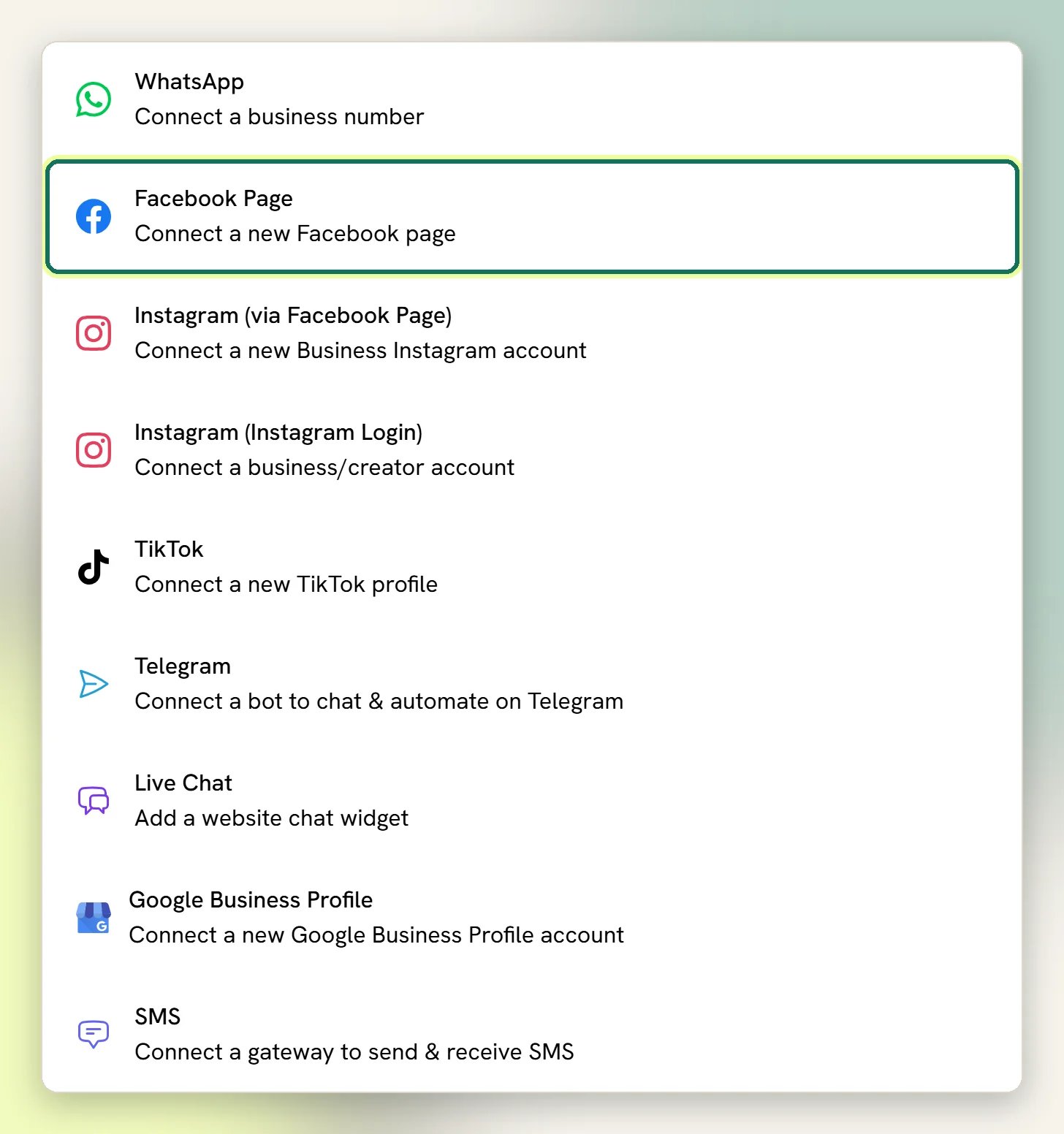
3
Approve on Facebook
Facebook asks you to sign in and approve the permissions DMLY needs, including reading and sending your Page’s messages. Approve all of them; declining any one of them can leave the channel connected but silent.
4
Pick the Page
Choose the Page you want from the list Facebook returns, and finish.
What you get
Unified inbox
Messenger conversations sit alongside WhatsApp and the rest, with assignment, statuses and quick replies.
Bots and flows
Trigger a flow on a new message, a story reply, or a comment on your posts or ads.
Freeform broadcasts
One-to-many plain messages, delivered to contacts inside the 24-hour window, plus anyone who accepted a notification opt-in. Paid Marketing Messages reach your subscribers outside it.
Comment to DM
A new comment on a post can open a private conversation, which is not limited by the 24-hour window. Meta allows one private reply per comment.
Messenger user <last 4 digits> and are renamed once Facebook returns the person’s profile. They become ordinary Contacts, the same record used everywhere else in DMLY.
Comments on your ads arrive like comments on any other post, so a Facebook comments automation on All posts answers them too. Every comment lands in the Inbox under Comments. A person who only comments becomes a contact when one of your comment automations runs on that comment, or when they message the Page; someone DMLY already knows on this Page (someone who messaged it before, say) is a contact already. Anyone else is kept comment-only: their comment is in the Inbox, but they aren’t listed in Contacts or counted toward your limit. See Comment automation.
The 24-hour window, precisely
The clock starts at the contact’s last inbound message and runs for 24 hours.
The 7-day allowance is Meta’s rule for a human agent answering a customer. It applies to a reply you send from the Inbox, not to automation.
The Message step of a Facebook broadcast has a Reach choice: Standard message follows the rules above, and Marketing Messages (paid) reaches contacts who accepted ongoing marketing messages, outside the window. A paid send needs a connected Meta ad account and a budget. Meta charges that ad account for each delivered message, in the ad account’s currency, and each message DMLY sends also counts against your plan’s broadcast allowance. Instagram broadcasts don’t have this choice. See Marketing Messages and What it costs.
Bot setup: what syncs to the Page on save
Open Bot setup and pick your Facebook Page from the channel selector. Saving does two things: it stores the settings in DMLY, and it pushes the menu-style parts straight to your Page on Facebook.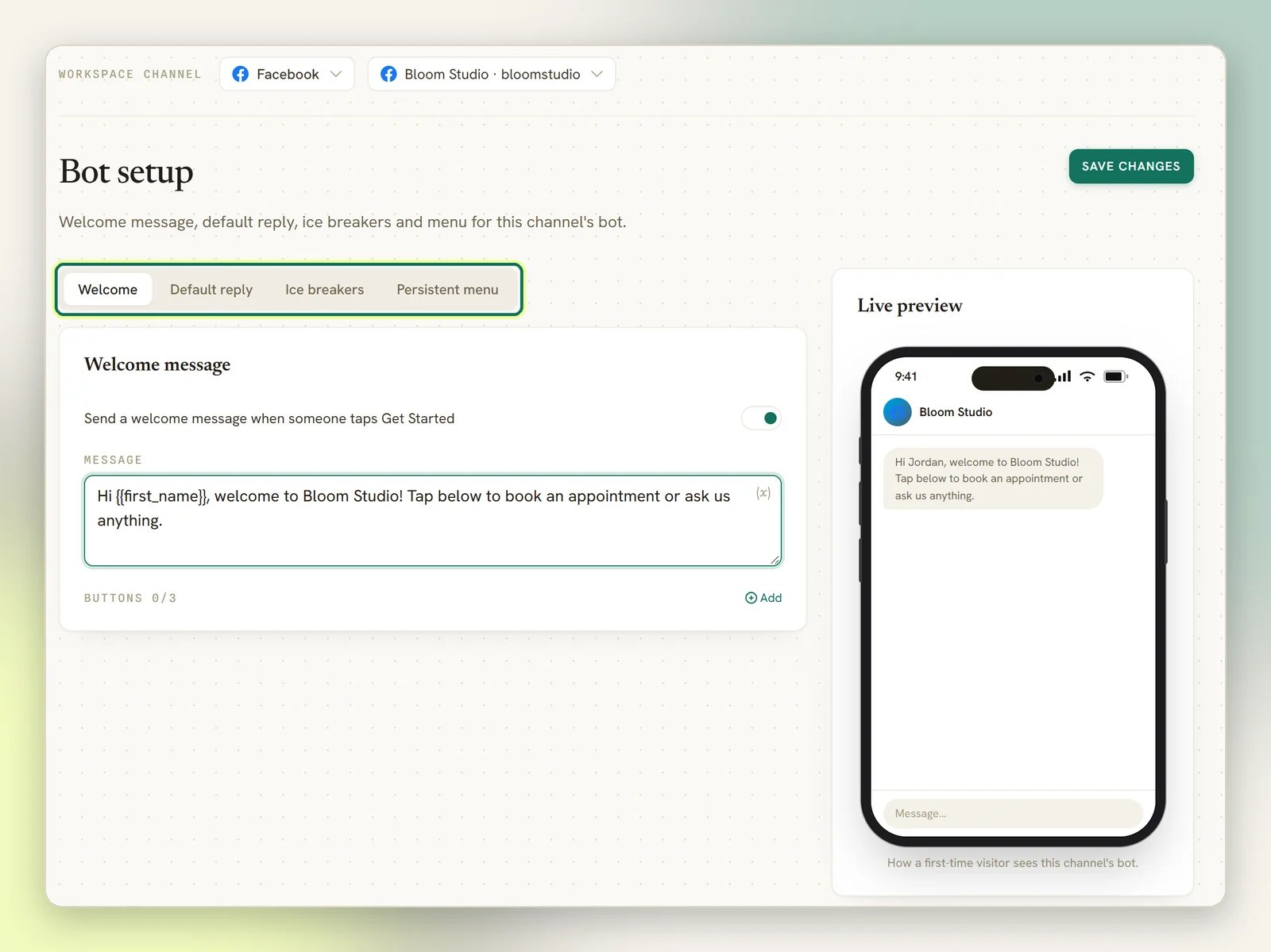
A few rules Facebook imposes, which DMLY applies for you:
- Get Started is automatic. Facebook only shows a greeting, menu or ice breakers if the Page has a Get Started button, so DMLY adds one as soon as you configure any of the three.
- Turning something off and saving removes it from the Page. Facebook needs to be told explicitly to clear a field, so an empty section is actively deleted rather than left behind.
- Ice breakers: up to 4. Questions longer than 80 characters are shortened.
- Persistent menu: up to 3 items per level, 3 levels deep. Labels longer than 30 characters are shortened.
- Menu items that open a URL or start a flow work. A menu item set to Postback does nothing useful: the payload you type is never acted on. Use Start flow instead.
The Buttons editor under the Welcome message works: up to three buttons are delivered with the welcome message as tappable buttons. A URL button opens a link, a Start flow button launches that flow, and a plain reply button posts back so a keyword automation can react to the tap. The buttons editor on Default reply works the same way. Ice breakers and the Persistent menu are still there for always-available prompts.
What you can send
Beyond plain text and media, Messenger flows can send tappable buttons (up to 3, short labels) and quick replies (up to 13), including native chips that ask for the contact’s email or phone number. Carousels are supported. WhatsApp-only message types are not available here.The Page connected, but nothing arrives in the inbox
The Page connected, but nothing arrives in the inbox
There are four causes, they look identical from the outside, and three of them you can fix yourself. Work through Fix a silent Facebook Page or Instagram account, which tells you how to tell them apart.The fastest first check: if messages do reach the Inbox and it’s only the bot that stays quiet, the connection is fine and your automations are pointing at an older copy of the Page. That page covers it.
Sends fail with a permission or token error
Sends fail with a permission or token error
When Facebook rejects a send because the Page access is no longer valid, DMLY marks the channel as needing attention and emails your workspace admins a reconnect prompt. Reconnect the Page from Integrations → Channels.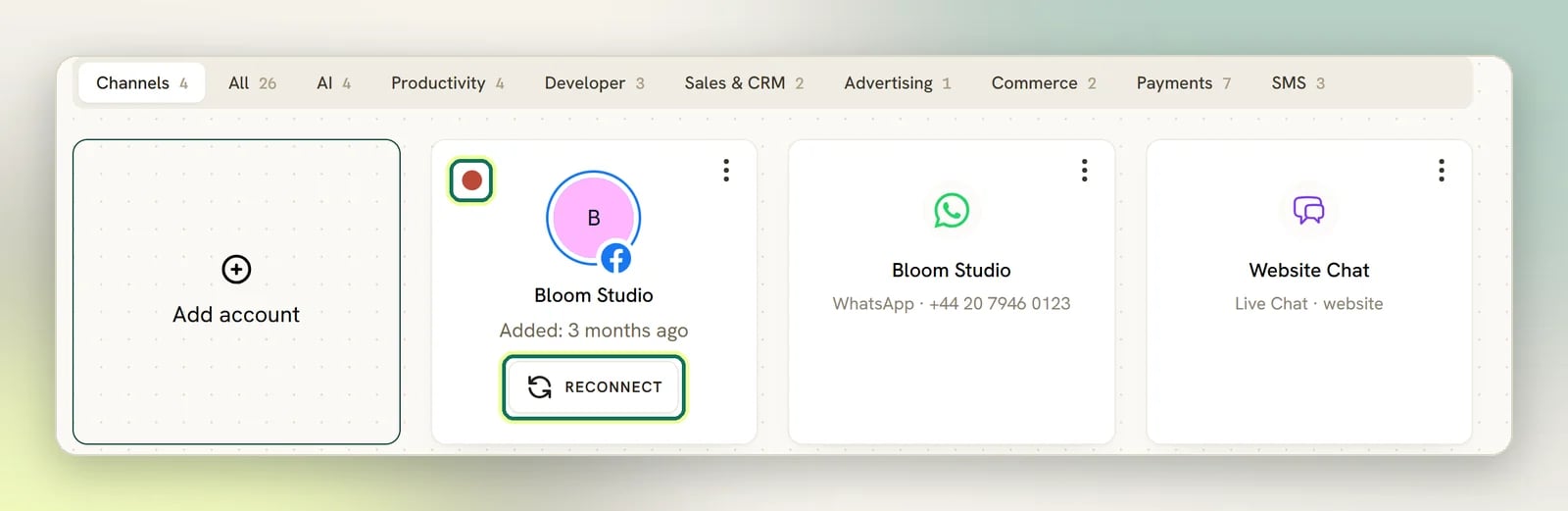
Next
Bot setup
Welcome message, ice breakers and the persistent menu.
Ice breakers
The suggested questions first-time visitors see.
Persistent menu
The always-available menu in the conversation.
Broadcasts
Who a Messenger broadcast can actually reach.