

TikTok’s Business Messaging is a beta at TikTok’s end and DMLY is deliberately cautious
with it. Treat TikTok as a supporting channel and keep WhatsApp as
the one you build on.
Before you start
You need a TikTok Business account. If you’re on a personal account, switch it in the TikTok app before you connect:1
Open your account settings
In the TikTok app, go to Profile → ☰ menu → Settings and privacy.
2
Switch the account type
Tap Account, then Switch to Business Account. Choose a category and finish the
prompts; it’s free and reversible.
3
Connect it in DMLY
Come back and connect the account here. If it was already connected as a personal
account, reconnect it so DMLY can pick up the Business permissions.
Connect the account
1
Open Integrations
Go to Integrations → Channels and start adding an account. Find TikTok
(Connect a new TikTok profile).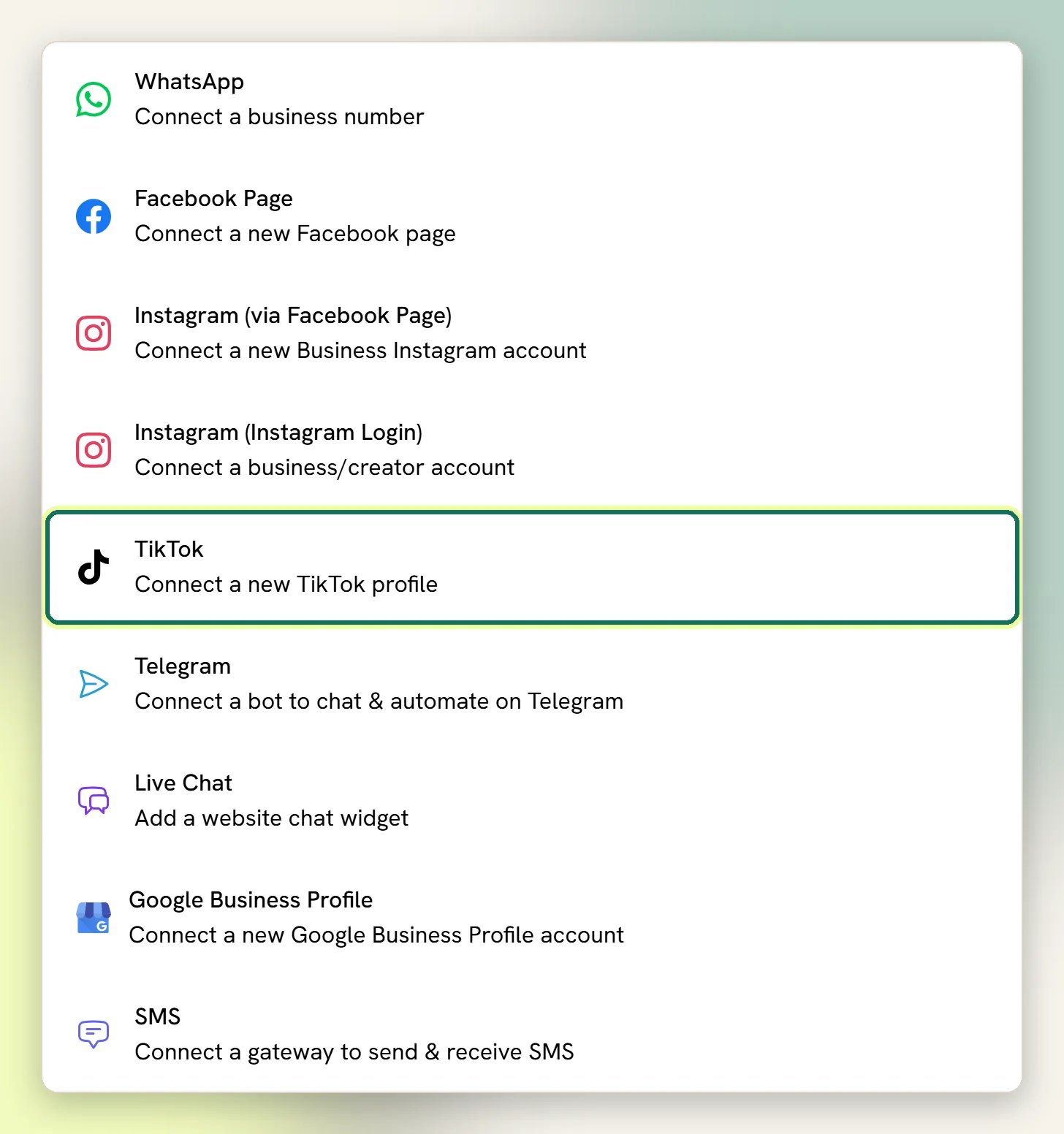
2
Authorise DMLY on TikTok
TikTok asks you to sign in and approve the permissions. Approve all of them. The
messaging and comment permissions are what make the Inbox and automations work; drop
them and the Channel connects but stays silent.
3
Check the Channel
Back in DMLY, the TikTok Channel appears in your list. If you see the personal-account
warning, fix the account type and reconnect before going further.
If you don't see the TikTok option (admins)
If you don't see the TikTok option (admins)
The TikTok tile only appears once TikTok is configured and active on your install. That’s a
one-time job for whoever administers it: create an app at
developers.tiktok.com/apps and fill in Client
Key, Client secret, Share Type (Inbox or Direct Post) and Enable photo
uploads.TikTok also has to approve your app for the messaging and comment permissions. Until it
does, connecting will not give DMLY the access it needs, and the Channel will look
connected while nothing arrives.
The 48-hour window
This is stricter than it looks next to Meta’s channels. Messenger and Instagram give a person typing by hand seven days even though automated sends get 24 hours. TikTok gives everyone the same 48 hours, bots and people alike. The Inbox says so on the conversation: TikTok 48-hour messaging window — agents can reply for 48 hours after the contact’s last message. You also can’t start a conversation on TikTok. DMLY replies into a thread the contact opened; there’s no way to message a TikTok contact who has never messaged you.What TikTok cannot do
No broadcasts
Broadcasts stays in the sidebar, but selecting it on a TikTok profile just tells you:
Broadcasts aren’t available on Live Chat or TikTok. Switch to WhatsApp, Facebook,
Instagram, SMS or Telegram. Use Switch profile to jump to a channel that can.
No growth links or QR codes
Growth tools need a channel reachable by a chat link — not available on SMS, TikTok or
Live Chat. Growth tools work by handing someone a link or QR that opens a chat, and
TikTok has no such link.
What you get
DMs and comments in the Inbox
DMs and comments arrive in the same Inbox as your other channels, with assignment and statuses.
Flows on both
Keyword-matched flows run on a TikTok DM and on a comment left on your videos.
Comment actions
A flow can reply publicly to a comment, like it, or delete it.
Contacts and tags
TikTok people become Contacts like anyone else (commenters only in the cases below), and you can tag and segment them.
Automations on TikTok
Three triggers fire on a TikTok Channel:- TikTok message: User sends a message
- Video comments: User comments on your video
- Outgoing TikTok message: You or an agent sends a message
Images and other message types
Inbound DMs that aren’t plain text are shown as a short label rather than the thing itself: a photo reads 📷 Photo, a video reads 🎥 Video, and there’s Shared a post, Sent a sticker, Sent an emoji and Reacted to a message. Anything DMLY doesn’t recognise reads Unsupported message. When TikTok gives DMLY a link to a photo or sticker, the Inbox shows the picture, with the label as its text. An image that arrives without a link (always the case for images delivered by webhook) is not displayed, so if the content matters, ask the contact to describe it. Sending out, TikTok takes text and images only. Images have to be JPG or PNG and under 3 MB.When messages don’t arrive
DMs usually arrive within seconds. DMLY also checks TikTok every five minutes for any DM it missed and for new comments, so allow up to five minutes for a comment before worrying. If nothing comes through at all, work down this list:- The personal-account warning is showing: that’s the cause. Switch the account type in the TikTok app and reconnect.
- The window has closed: you can receive, but your replies are blocked until the contact messages again. The Inbox says so on the conversation.
- TikTok reports messaging as restricted: TikTok’s Business Messaging isn’t available everywhere, and where it isn’t, DMs never arrive. Nothing on your side fixes this.
- Nothing else fits: check Configurations → Reports, then the Logs tab, and see No inbound messages.