

Connect it
Mercado Pago is a tile under Configurations → Integrations → Payments, described as Collect Latin-American payments with Mercado Pago Checkout Pro. There’s no “sign in with Mercado Pago” button. You copy two credentials out of your Mercado Pago account and paste them in.1
Copy your access token
In Mercado Pago, open your application’s credentials and copy the access token. Live tokens start
with
APP_USR- and test tokens start with TEST-.There is no environment dropdown in DMLY. The token prefix is what decides whether you are
taking real money or test money, so check it before you paste.2
Paste it into the tile
Open the Mercado Pago tile, paste the token into Access token and click Connect. DMLY
checks the credential on connect, so a typo fails now rather than at the first real payment.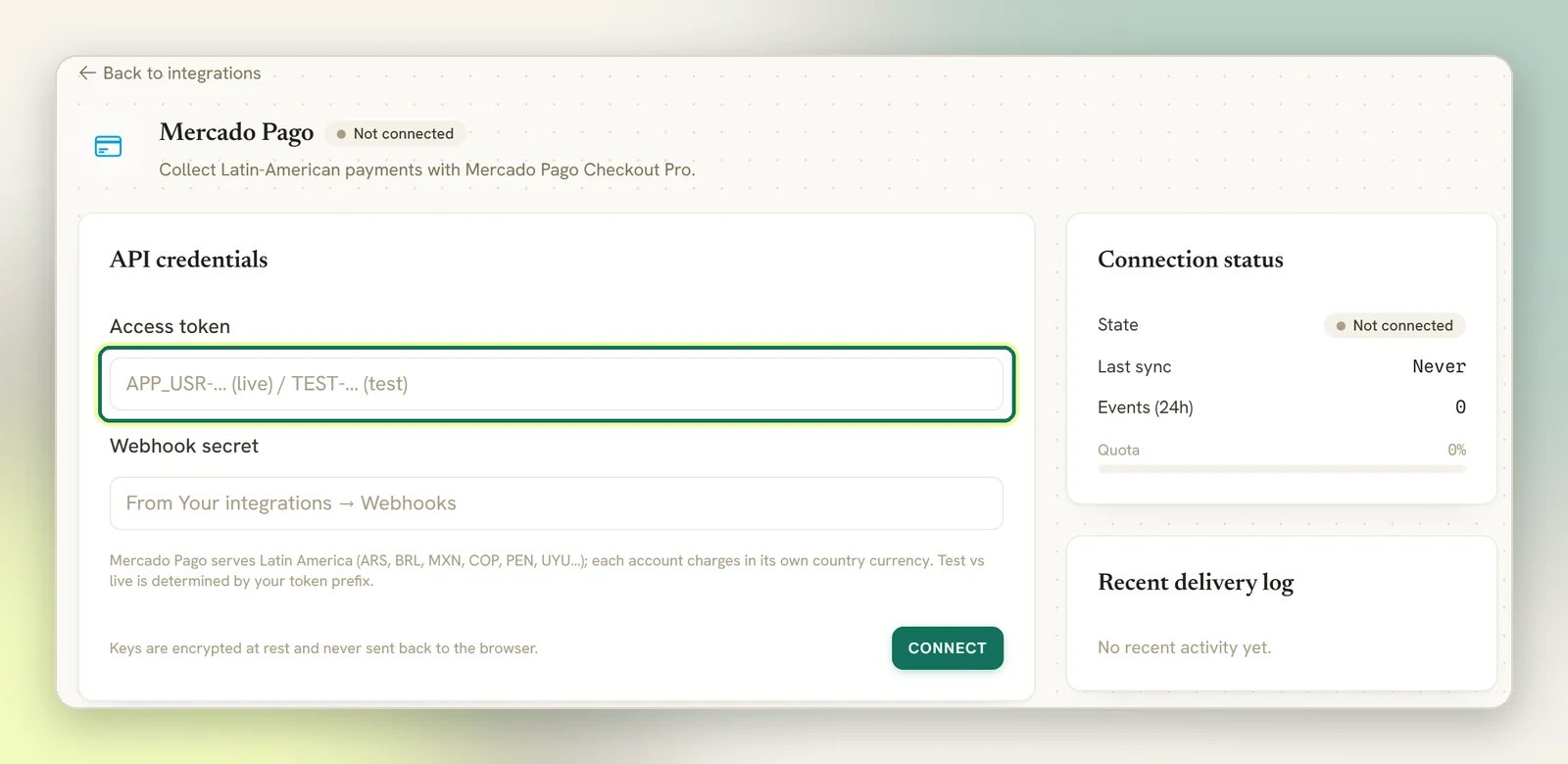
3
Add the webhook yourself
DMLY does not register the webhook for you. In Mercado Pago, go to Your integrations →
Webhooks, add the endpoint URL shown on the tile (it appears once you’ve connected), and copy
the signing secret Mercado Pago gives you back into Webhook secret.
4
Take one real payment end to end
Send yourself a small invoice, pay it, and confirm it flips to Paid on its own. If it
doesn’t, the webhook isn’t reaching DMLY; fix that before a client pays.
Supported currencies
Mercado Pago serves Latin America (ARS, BRL, MXN, COP, PEN and UYU), and each account charges in its own country’s currency. You cannot pick a currency your Mercado Pago account doesn’t operate in.Chilean pesos (CLP) are not available for pay links. DMLY uses one shared currency list across
every gateway, and that list only holds currencies with two decimal places so the amount maths stays
correct for all of them. CLP has none, so it’s excluded. Japanese yen and Kuwaiti, Bahraini and Omani
dinars are excluded for the same reason.
How payment confirmation works
Mercado Pago’s notification is deliberately thin: it tells DMLY only that something happened to payment X, with no status and no amount. So when the notification arrives, DMLY asks Mercado Pago directly for that payment’s real state before recording anything. The practical consequence is that a confirmation depends on both the webhook reaching DMLY and your access token still being valid. If you rotate or revoke the token in Mercado Pago and don’t update it in DMLY, notifications will keep arriving and payments will stop reconciling; the invoice sits unpaid even though the webhook is fine. Each notification is signature-checked and must be recent (an old or replayed one is rejected), so the clock on the sending side matters. This is normal and needs nothing from you. A rejected payment attempt is ignored rather than recorded, so an abandoned checkout doesn’t leave noise on the invoice.Current limitations
These are known behaviours of the Mercado Pago integration today, not faults to report.A Checkout Pro link can be paid more than once
A Checkout Pro link can be paid more than once
Mercado Pago pay links stay usable after they’re paid. If a client opens an old link and pays
again, that second payment reconciles onto the same payment record as the first and doesn’t add
a new one, so the extra money is real at Mercado Pago but won’t appear as a second payment in DMLY.
Send a fresh link for each amount you want paid, and check Mercado Pago itself if a client says they
paid twice.
Refunds, full and partial
Refunds, full and partial
Use the Refund button in DMLY. It sends the refund, full or partial, to Mercado Pago and records
it, and the payment moves to Refunded either way.A partial refund made directly in the Mercado Pago dashboard is different: Mercado Pago still reports
the payment as approved, so DMLY leaves it as Succeeded. Adjust the invoice in DMLY yourself.If one reference has more than one approved payment (for example a link paid twice), DMLY won’t guess
which to refund. Refund it in your Mercado Pago dashboard, then record it in DMLY.
Subscriptions can't auto-charge a saved card
Subscriptions can't auto-charge a saved card
Mercado Pago Checkout Pro has no saved-card charging, so DMLY can’t renew a subscription
automatically on it. Use a gateway that supports saved cards for recurring billing (see
Subscriptions), or send a pay link each cycle.
Payments and gateways
Pay links, payment statuses and what a failed webhook means.
Invoices
Send an invoice and share its pay link on WhatsApp.