

What a coupon takes off
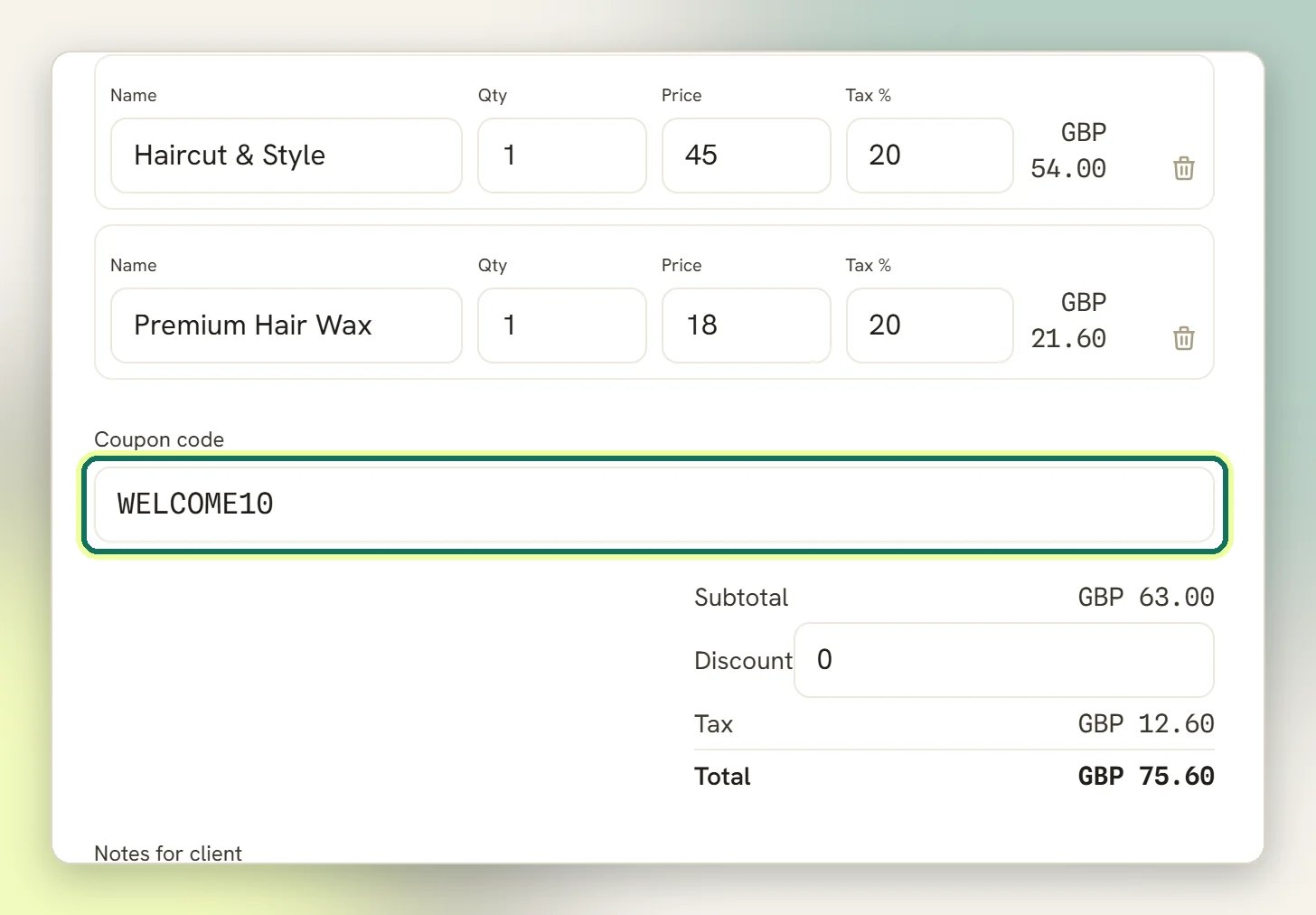
A coupon comes off the subtotal before tax, and tax is then worked out on what is left.
A 10% coupon on a bill of 100 with 20% tax takes off 10, not 12: the tax drops to 18 and the
client pays 108.
The limits you can set
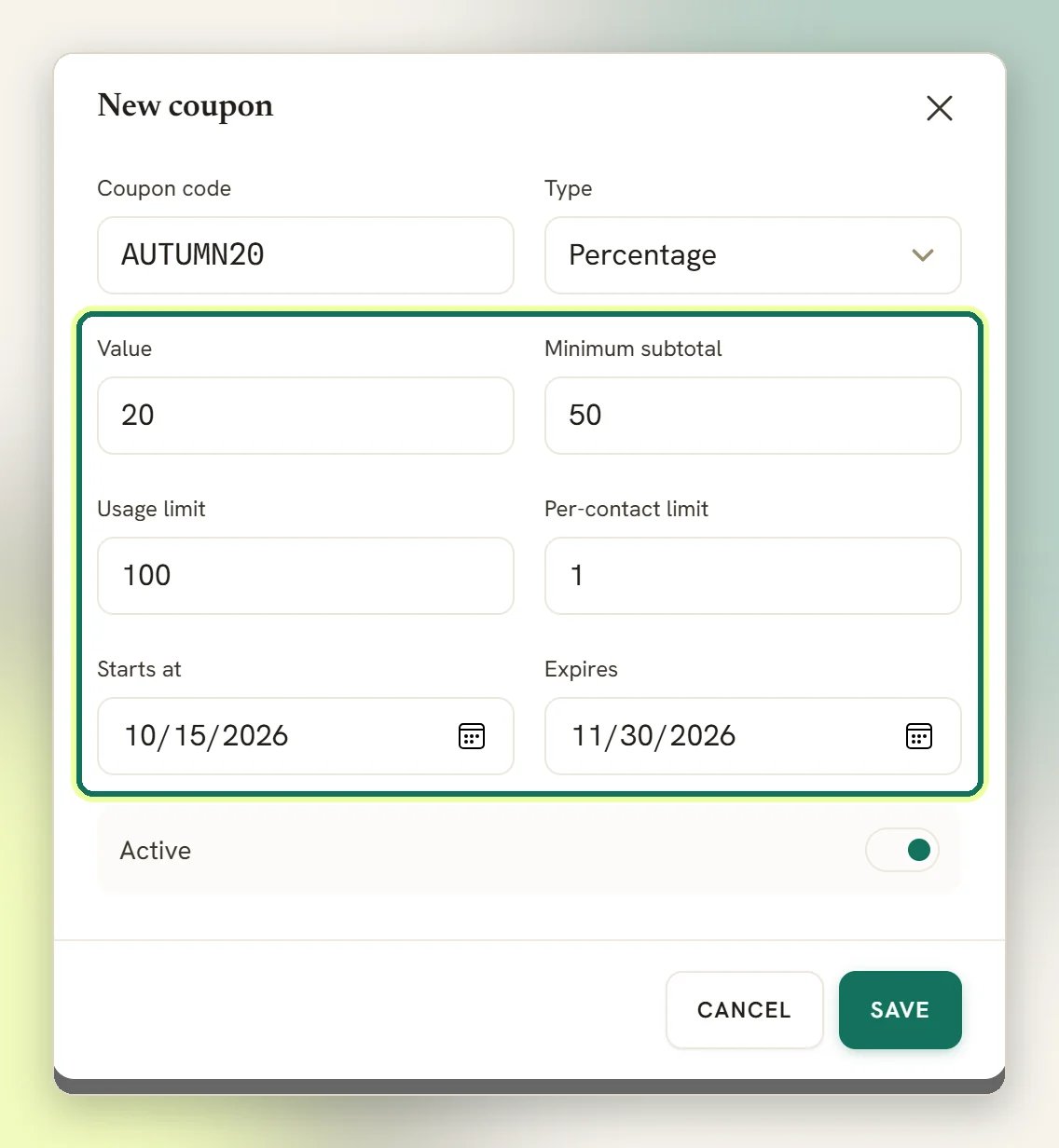
Each coupon carries its own rules, and all of them are checked at the moment it is applied:
Outside its window, below the minimum, or past a limit, the coupon is refused and the bill is
issued at full price.
3 / 10 for a coupon with a usage limit of 10, or a plain 3 when the
coupon is unlimited. That counter is the total across everyone; how many times one particular
client has redeemed it isn’t shown anywhere, even though the per-contact limit is still
enforced.
Redemption is first-come. If two invoices try to claim the last remaining use at the same
moment, one gets the discount and the other is issued without it. There is no queue and no
error to catch, so check the invoice total before you send it if a coupon was meant to apply.
How loyalty points become a coupon
Loyalty only runs once Enable loyalty programme (under Loyalty programme) is switched on. It is off for every workspace until you turn it on, and while it is off no points are awarded at all.1
A client earns points
You pick one Earning method, not both. Earn per amount spent scales points with
the bill, and the field below is labelled Points per unit spent. Earn per activity
gives a flat number of points per qualifying activity regardless of the amount, and the
same field becomes Points per activity. The form defaults to Earn per activity, so
out of the box points do not scale with spend.
2
They cross the threshold
Points needed to redeem is the balance a client has to reach. The setting describes
itself plainly: The number of points a client must reach before they can redeem a reward
coupon.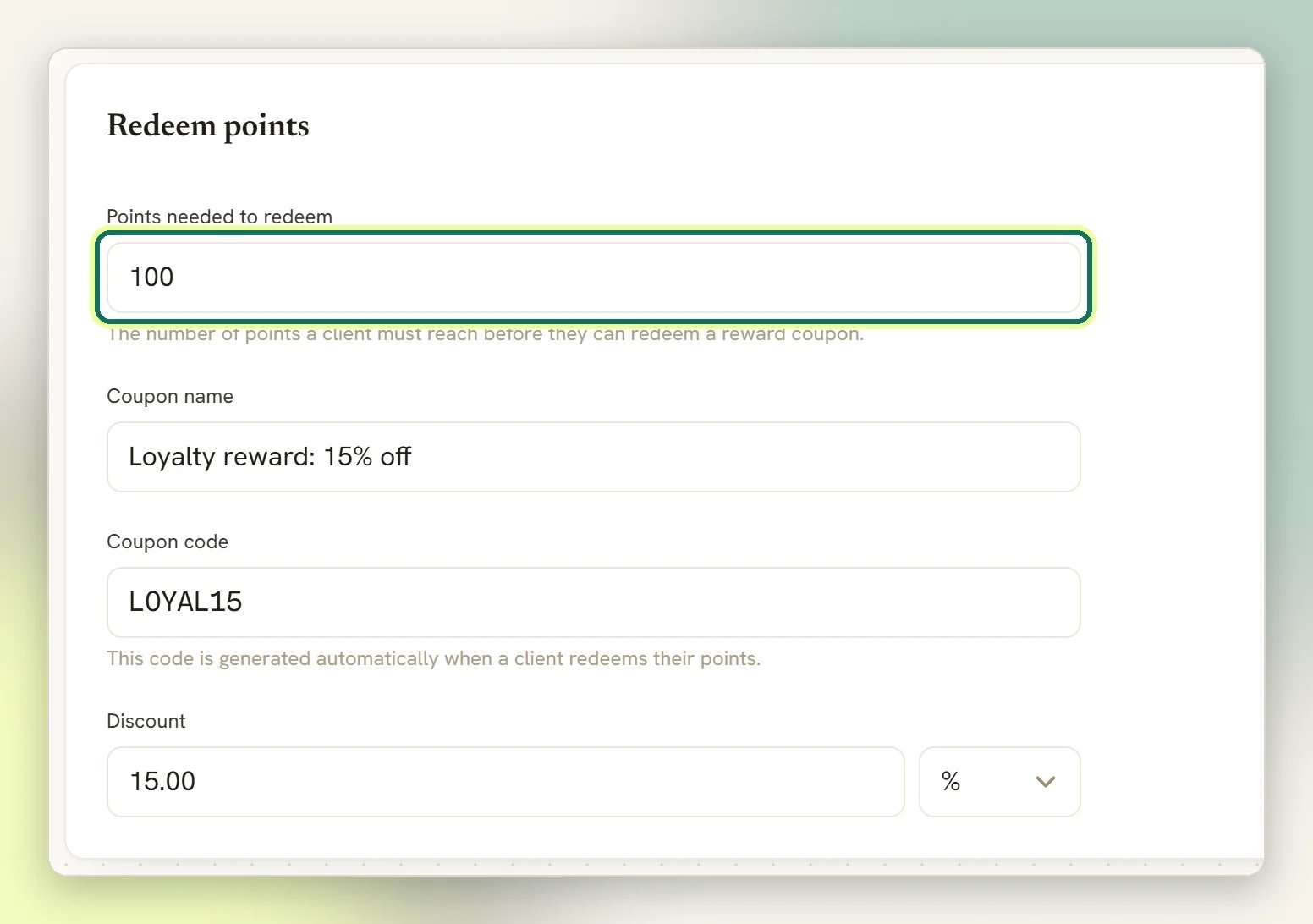
3
DMLY mints their coupon
As soon as the balance crosses the threshold, a coupon is created for that client and the
threshold’s worth of points is spent. The code carries a suffix unique to that client, so
it belongs to them and cannot be passed around. A coupon is only minted when Points
needed to redeem is above 0, the Discount is above 0 and a Coupon code is filled
in.
When points are actually awarded
This trips people up, so it is worth being exact. The trigger is not fixed. Under Earning conditions you choose the status that earns for each kind of activity:
Nothing is awarded unless the activity reaches the status you configured. On the defaults
that means:
- A paid invoice earns points when it is paid. If you switch orders to Confirmed, a paid invoice earns nothing.
- A confirmed order earns points in its own right, independently of any invoice.
- An invoice for an appointment is one of two exceptions. Its points are awarded when the appointment is completed, not when the client pays. A client who pays up front and then no-shows earns nothing.
- An invoice that sells a gift card is the other. Buying the card earns nothing. The points come later, from the invoice the card is eventually spent against, so the same money never earns twice.
- A class booking earns too, when the booking is attended.
- A connected store order (Shopify, WooCommerce) earns nothing on the default of Never. Set it to Paid or Fulfilled to award points for store orders.
Undoing a sale takes the points back
These claw back loyalty points: voiding an invoice, refunding a payment on a paid invoice, cancelling a confirmed order, a refunded or cancelled store order, and reverting a class attendance when classes earn on Attended. That is deliberate (a sale that did not happen should not leave a client closer to a free reward), so a client’s balance can drop after any of them. The claw-back goes further than the points. It also deactivates one still-unredeemed loyalty coupon for that client, so a reward minted from points you have just reversed stops working. The one thing it will not touch is a coupon the client has already redeemed: reversing that would corrupt a settled sale, so it is left alone.Related
Invoices
Where a coupon is applied and what it changes on the bill.
Finance settings
Currency, due days, numbering and tax defaults.
Client profile
A client’s spend, statement balance and history.
Finance overview
How invoices, orders, subscriptions and payments fit together.