

What an expense records
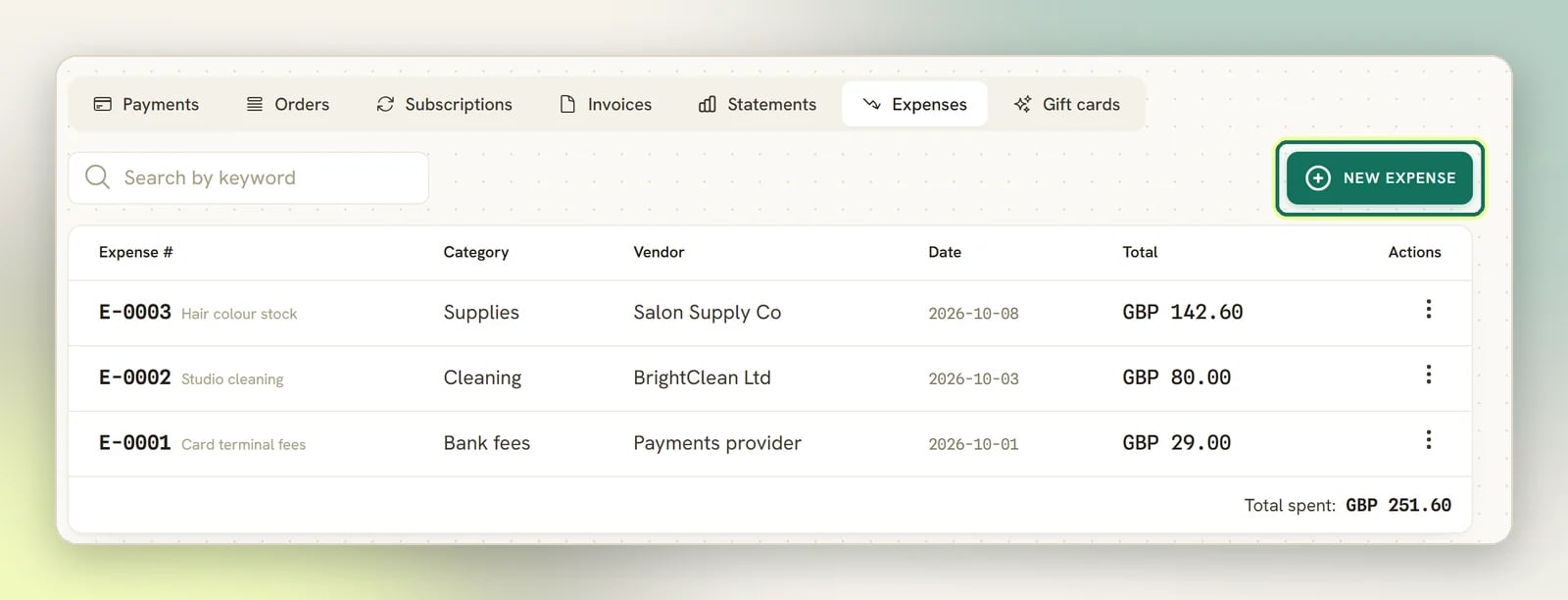
Each expense gets its own number, issued automatically per workspace and never reused:E-0001, E-0002, and so on, in the same way invoices are numbered INV-0001.
On the web, you file each one against three things, all of which you create and maintain yourself in
Finance settings:
Vendor
Who you paid: your supplier, landlord or contractor.
Category
What kind of spend it was: the grouping you’d use in your own books.
Account
Which account the money left from.
Finance settings
Where vendors, categories and accounts are managed, along with invoice defaults and
numbering.
What expenses don’t do
Expenses are deliberately narrow, and it’s worth knowing the edges before you rely on them.- An expense is not linked to a contact. There’s no client on an expense, and no way to pass one on. If you need to bill a cost to a client, put it on an invoice as a line item instead.
- You can’t attach a receipt. There’s no upload on the expense form. Keep the paper or the PDF wherever you keep your accounting records.
- Deleting is permanent. The app asks
Delete expense <number>? This can't be undone.and it means it. Unlike an invoice, which you void so the trail survives, a deleted expense is gone. Correct an expense by editing it rather than deleting and re-entering.
The expense form
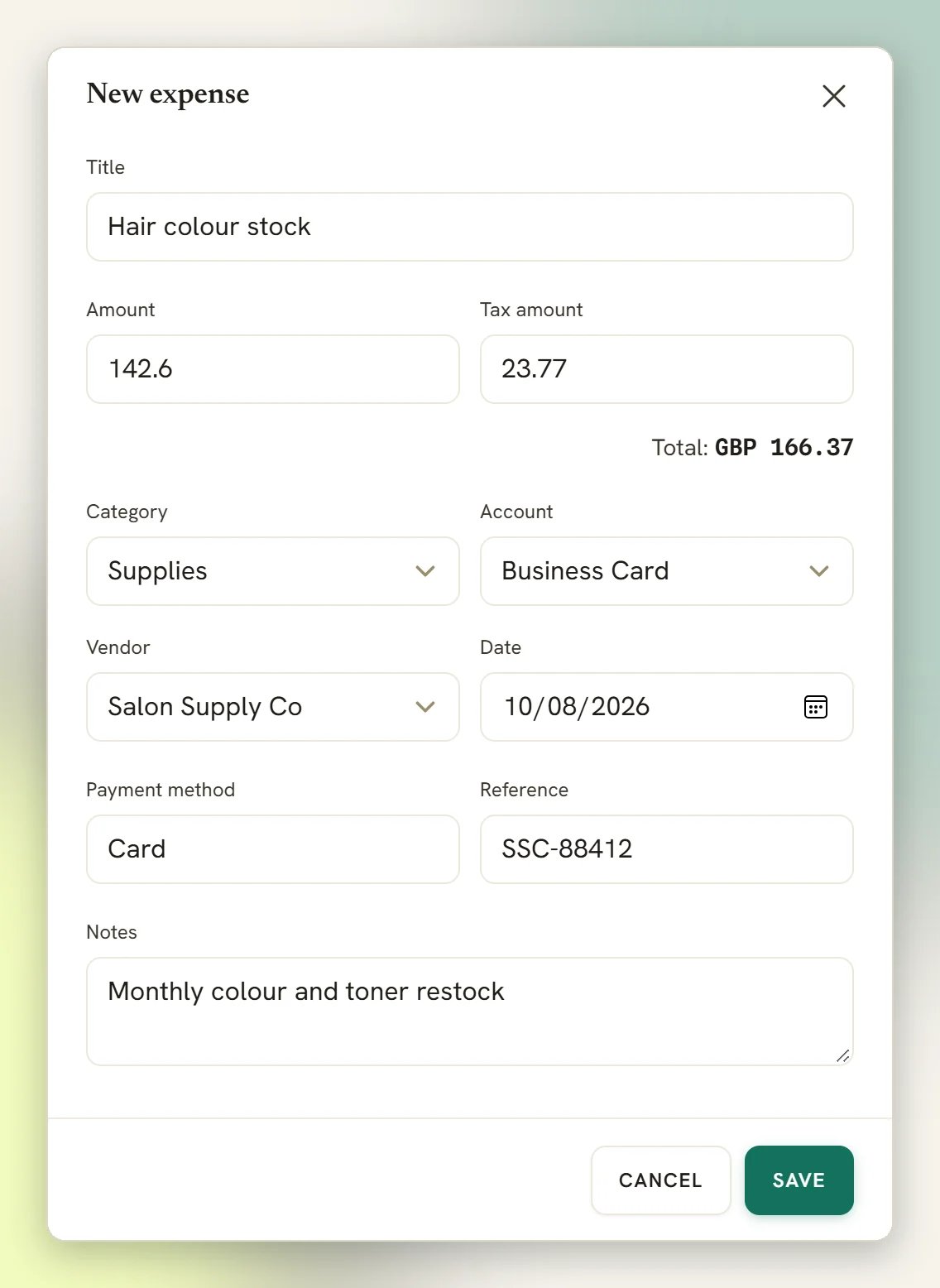
The same form creates and edits an expense:
The running Total shown as you type is Amount plus Tax amount, so enter the net
figure in Amount and the tax on top rather than the gross in both.
On the mobile app
Add expense in the mobile app records only a title, an amount and an optional category. It is dated today, with no tax, vendor or account, and it gets the same automatic number as one added on the web. Open it on the web afterwards if you need to fill in the rest.Where expenses show up in reports
Expenses feed the Finance tab in Reports, dated by the expense Date:- the Spent tile, the total of your expenses for the period
- the Net profit tile, which is net money collected minus expenses, with a margin
- the chart of money collected against money spent
- Where the money went, which breaks expenses down by category