

- Assignment belongs to the contact, not the thread. Assigning one conversation assigns every thread that contact has: DMs and comments, on every channel. One contact has one owner.
- Assignment does not hide anything. Everyone who can open the Inbox still sees every conversation, assigned or not. (A member limited to certain profiles only ever sees conversations on those profiles, but that comes from their access, not from assignment. Owners and admins are never limited.) It changes a filter, a notification and a webhook, nothing else.
- Replying takes the conversation. Whenever a teammate sends a reply, the conversation is reassigned to them automatically, even if it was already assigned to someone else. The conversation follows whoever answered it last. That is the default, and an admin can change it to “only claim it if nobody owns it” or to leaving ownership alone: see Conversation settings.
Assign a conversation
1
Open the conversation
Select it in the Inbox list. The details panel opens on the right.
2
Pick a teammate in Assigned to
Use the Assigned to dropdown and choose a member of your workspace. Choose
Unassigned to hand it back to the pool.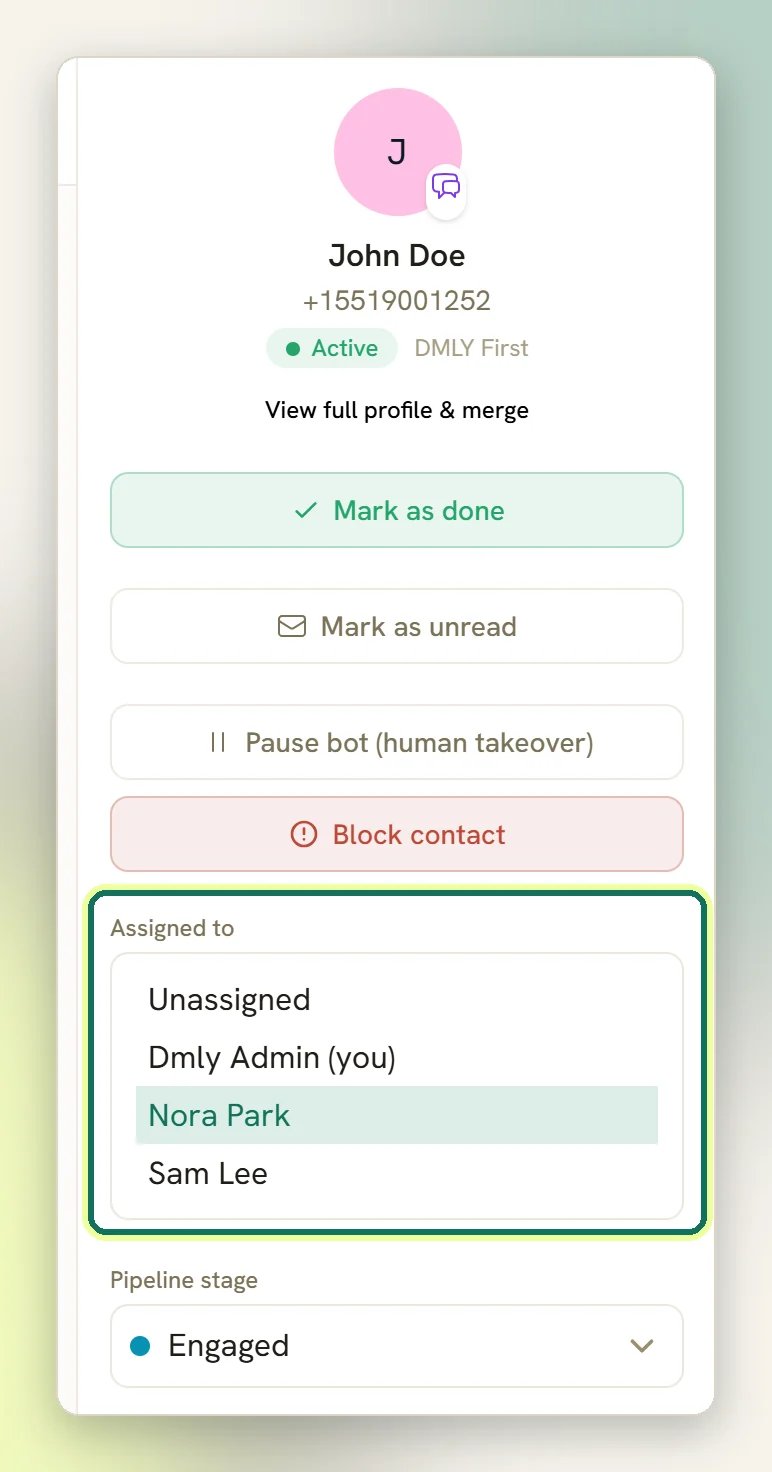
Assigning is silent when nothing really changes. Picking the person who is already assigned,
or unassigning, sends no notification and fires no webhook.
What assignment actually does
When you assign a conversation to someone new:- They get an in-app bell notification that links straight to the thread. See Notifications.
- DMLY sends a
conversation.assignedwebhook, if you use them. See Webhooks. - The conversation now matches that person in the assignee filter.
How a team divides the work
The practical pattern is a filter, not a rule engine.1
Everyone works their own queue
Open the filters and set the assignee filter to your own name. That is your list for the
day.
2
Someone triages Unassigned
Set the assignee filter to Unassigned to see everything nobody has picked up, and assign
each one out.
3
Close what's finished
Use Mark as done so the conversation leaves the Open folder. Nothing closes by
itself, and by default any new message from the contact reopens it. See
Conversation status.
Assign automatically
The Inbox has no routing rules of its own, but three things can pick an owner without you:Round-robin new conversations
A workspace setting, off by default: Give new conversations an owner hands each brand-new
conversation to whoever has the fewest Open conversations right now.
Assign in a flow
An Assign node or a human-handover node sets the owner as part of a flow.
Round-robin with AI
The AI agent can share chats out on the same rule: the teammate holding the fewest Open
conversations wins.
conversation.assigned. Only assigning by hand fires it: from the
details panel, from Assign to… in the mobile app, or with the MCP assign_conversation tool. The automatic claim from replying is the quiet one: no bell and no
webhook, which is why a conversation can change hands without anybody being told.
When a flow hands a conversation to a human, DMLY drops a note into the thread so the agent can
see why it landed with them. By default the node also pauses the bot (Pause bot replies) and
tells the contact someone will be with them shortly; both are editable on the node. Take over
manually with Pause bot (human takeover) in the details panel.
The “On call duty” toggle is not an inbox setting
On call duty / Off duty in the sidebar controls WhatsApp voice calls only: it decides
whether inbound WhatsApp calls ring you. It has no effect on chat assignment or routing, and
it only appears when a WhatsApp channel has calling enabled. See
WhatsApp calling.
A teammate can't see the Inbox at all
A teammate can't see the Inbox at all
The whole Inbox can be hidden from a role. Check the member’s role under
Roles and permissions. The same settings also mask contact
phone numbers and email addresses in the conversation panel.